VideoDB Releases 'Call.md': Open-Source Real-Time AI Meeting Assistant with Dual-Channel Audio and MCP Agent Loops
VideoDB has open-sourced Call.md, a desktop meeting assistant that captures microphone and system audio on separate channels for real-time transcription, invoke
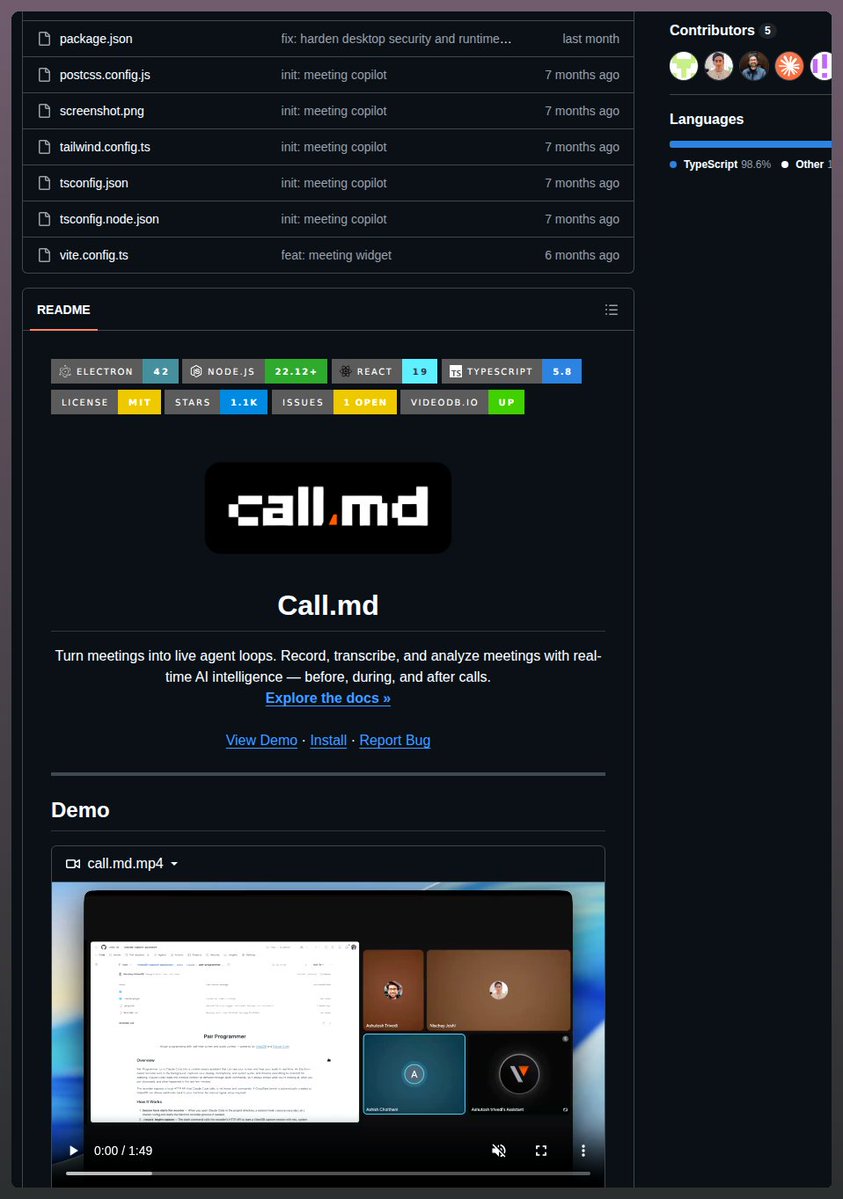
VideoDB, an infrastructure platform for video and audio intelligence, has officially open-sourced 'Call.md' (github.com/video-db/call.md), a local desktop meeting assistant designed to deliver real-time AI intelligence during live conversations. Unlike conventional meeting utilities that passively transcribe recordings after a call concludes, Call.md captures microphone and system audio on dedicated channels, generates low-latency live transcripts, and executes inline agent actions via Model Context Protocol (MCP) tool loops while the meeting is still underway.
Image source: Tom Dörr (@tom_doerr) / X
Built as an active copilot rather than a post-call archiver, Call.md bridges the gap between spoken conversation and downstream developer workflows by surfacing context-aware insights, coaching cues, and automated tool integrations in real time.
Dual-Channel Audio Capture and Real-Time WebSocket Transcription
At the core of Call.md's architecture is a physical separation of meeting audio streams directly at the capture layer.
Constructed as a desktop application powered by Electron, React, and TypeScript, Call.md leverages VideoDB's infrastructure to capture and stream local audio feeds.
- Speaker Separation (You vs Them): The app captures local microphone input ('you') and incoming remote system sound ('them') as two separate audio channels.
- Low-Latency WebSocket Streaming: Separated audio feeds stream to VideoDB's infrastructure via WebSocket connections, ensuring low-latency real-time speech-to-text processing.
By isolating input streams upfront, Call.md avoids the ambiguity of mixed single-channel transcripts, providing clean attribution for subsequent agent workflows and intelligence modules.
Real-Time Conversation Analytics and Inline MCP Tool Execution
Beyond basic transcription, Call.md continuously evaluates conversational dynamics and coordinates contextual agent interventions during meetings.
- Conversational Metrics and Coaching: Throughout the session, the client tracks key conversational signals, including talk ratio, speaking pace, questions asked, and prolonged monologues. The AI continuously reviews recent transcript segments to suggest relevant follow-up questions, contextual discussion prompts, and coaching nudges in real time.
- Intent-Driven Inline MCP Invocation: An embedded intent detector continuously monitors dialogue for active or passive information requirements. When an explicit query or data dependency is detected, Call.md automatically triggers connected Model Context Protocol (MCP) tools in the background and renders structured results inline within the meeting interface.
This inline workflow enables participants to retrieve relevant documentation, query internal databases, or inspect technical specifications without disrupting the meeting cadence or manually switching between applications.
Three-Part Meeting Summaries and Webhook Automation via n8n and Zapier
Once a meeting concludes, Call.md synthesizes the entire transcript and conversation telemetry into a structured three-tiered summary:
- Narrative Overview: A cohesive, paragraph-level synthesis capturing the broader context, core topics, and overall progression of the discussion.
- Key Points by Topic: Segmented analytical notes attributed by participant and categorized across distinct agenda items.
- Concrete Action Items: An actionable list of commitments, assigned responsibilities, and next steps extracted from the conversation.
Users can export the complete meeting intelligence package—including the dual-channel transcript and engagement metrics—directly to Markdown files, while meeting history is stored locally. Additionally, Call.md features configurable workflow webhooks that immediately dispatch structured meeting payloads to automation platforms such as n8n, Zapier, or custom CRMs, automatically triggering ticket creation or syncing meeting records upon call termination.
Supported Platforms and Technical Prerequisites
Teams evaluating Call.md should note the following technical requirements and operational constraints:
- Audio Routing and System Permissions: Because Call.md captures microphone input and system audio on separate channels, operating-system-level audio access permissions and system audio capture routing configurations may be required.
- Infrastructure Dependencies: While meeting history and Markdown exports are maintained locally, real-time transcription, conversational analytics, and live MCP intelligence require active internet connectivity and VideoDB API/WebSocket access.
- Tool and Model Latency: During live calls, the responsiveness of MCP tool execution and intelligent suggestions depends on user-configured MCP servers and upstream model latency.
Developers and engineering teams interested in turning live meetings into reactive agent loops can inspect, build, and extend the open-source codebase directly on GitHub (video-db/call.md).