How to Build a Single-File Website from an X Profile Screenshot with MiniMax M3.1 Flash
A practical workflow using MiniMax M3.1 Flash (formerly tested as stealth model Space Bunny) to turn a single X profile capture into a fully animated, single-fi
This guide outlines an interactive portfolio generation workflow shared by AI creator @nahid_pro09 on X (formerly Twitter). The workflow originally gained attention during a stealth test on the Antigravity platform under the codename 'Space Bunny', which was later confirmed to be an early version of MiniMax M3.1 Flash.
Image source: https://x.com/nahid_pro09/status/2112437579920666802
Without managing complex build pipelines or slicing manual design assets, creators can feed one screenshot of their X profile alongside a structured prompt to produce a standalone HTML file complete with a custom color palette, loading animations, scroll reveals, and interactive counters in under 6 minutes.
Workflow Overview and Core Behavior
The mechanism leverages the multimodal vision parsing and aesthetic reasoning capabilities of MiniMax M3.1 Flash. When given a single profile capture, the model automates several coordinated tasks:
- Automated Text and Metadata Extraction: Parses the user's display name, handle, bio text, follower count, and pinned post directly off the image pixels.
- Color Palette Sampling: Identifies dominant accent tones from the profile picture (PFP) and banner to define the site's primary color variables.
- Interactive Component Assembly: Embeds a preloader, scroll-triggered reveals, numerical rolling counters for metrics, and magnetic hover buttons using vanilla inline CSS and JavaScript.
- Single-File Bundling: Outputs a self-contained
.htmlfile that opens immediately in any modern web browser without external runtime dependencies.
According to @nahid_pro09, the full process—from initial generation through iterative style tweaks—took approximately 6 minutes, with the model returning rapid follow-up edits.
Step-by-Step Prompting Guide
Because the original thread noted that the full prompt template was shared in reply branches, users executing this with M3.1 Flash should make the structural requirements explicit:
- Capture Your Profile: Take a clean, high-resolution screenshot of your X web profile page showing your avatar, banner, bio, follower count, and pinned tweet.
- Open the Model Interface: Access the MiniMax M3.1 Flash multimodal interface (or supported hosting platform) and attach the capture.
- Run the Structured Prompt:
Create a responsive, modern personal website packaged entirely into a single HTML file based on the attached X profile screenshot.

Requirements:
1. Information Extraction: Read my display name, handle, bio, follower count, and pinned post text directly from the screenshot and lay them out cleanly in header and introduction sections.
2. Palette Extraction: Sample the primary accent colors from my profile picture and banner to theme the site's UI elements.
3. Micro-Interactions:
   - Minimalist entry loader animation
   - Smooth scroll reveals for content sections
   - Rolling number counter for follower and metric displays
   - Magnetic hover physics for call-to-action buttons
4. Output Format: Return only raw, valid HTML including inline CSS and vanilla JavaScript inside a single index.html file that works out of the box.
- Iterate on Design: Preview the file locally, then paste specific refinement requests (such as adjusting mobile viewport paddings or changing card borders) back into the conversation for rapid updates.
MiniMax M3.1 Flash Specifications and Caveats
While the initial demo ran on the early stealth preview 'Space Bunny', the production release of MiniMax M3.1 Flash brings verified performance specifications:
- Benchmark Performance: Scored 73.7% on the DeepSWE software engineering benchmark.
- Inference Speed: Runs approximately 3x faster than prior MiniMax releases.
- Context and Multimodal Capacity: Supports up to 1M context tokens with native multimodal comprehension across both images and video.
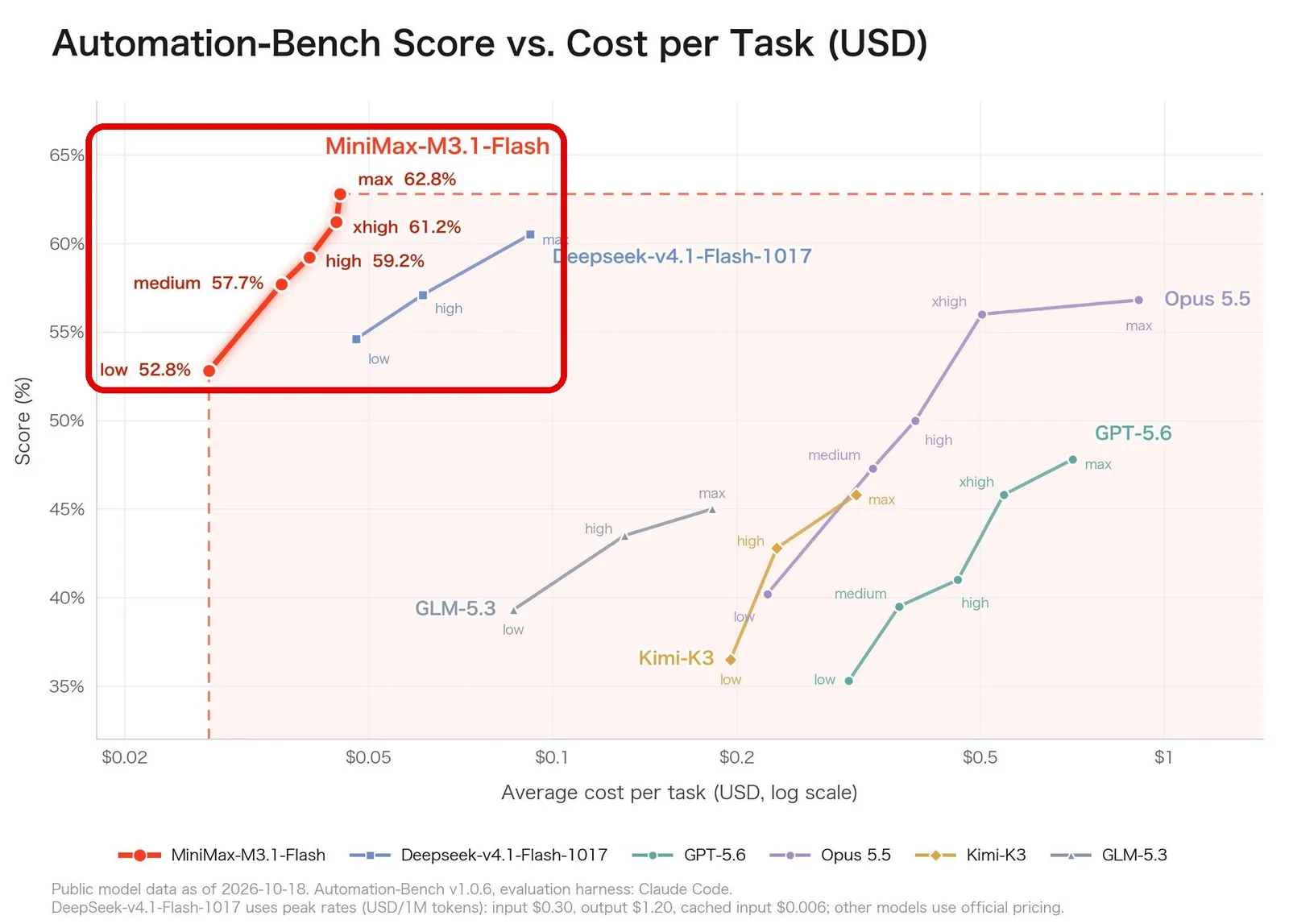
- Cost Efficiency: Engineered for cost-effective deployment across high-throughput multimodal pipelines.
Practical Caveats
- Low-resolution screenshots or severe image compression can cause OCR misreads in bio copy or pinned post text; always supply clean, uncompressed captures.
- The original thread referenced prompts distributed across replies rather than an all-in-one script block in the initial post, so explicitly stating text targets and extraction constraints in your prompt is necessary to match the demo's fidelity.
Original Source
- @nahid_pro09 Post on X: MiniMax M3.1 Flash (Space Bunny) X Profile to Website Workflow