Meta Muse Hidden Linux VM Power Tips: Installing CLIs in /workspace/tools and Inspecting Tool Call Logs
A power-user guide to Meta's personal AI agent Muse, based on analysis by Federico Viticci (@viticci). Discover the isolated cloud Linux VM behind the simple UI
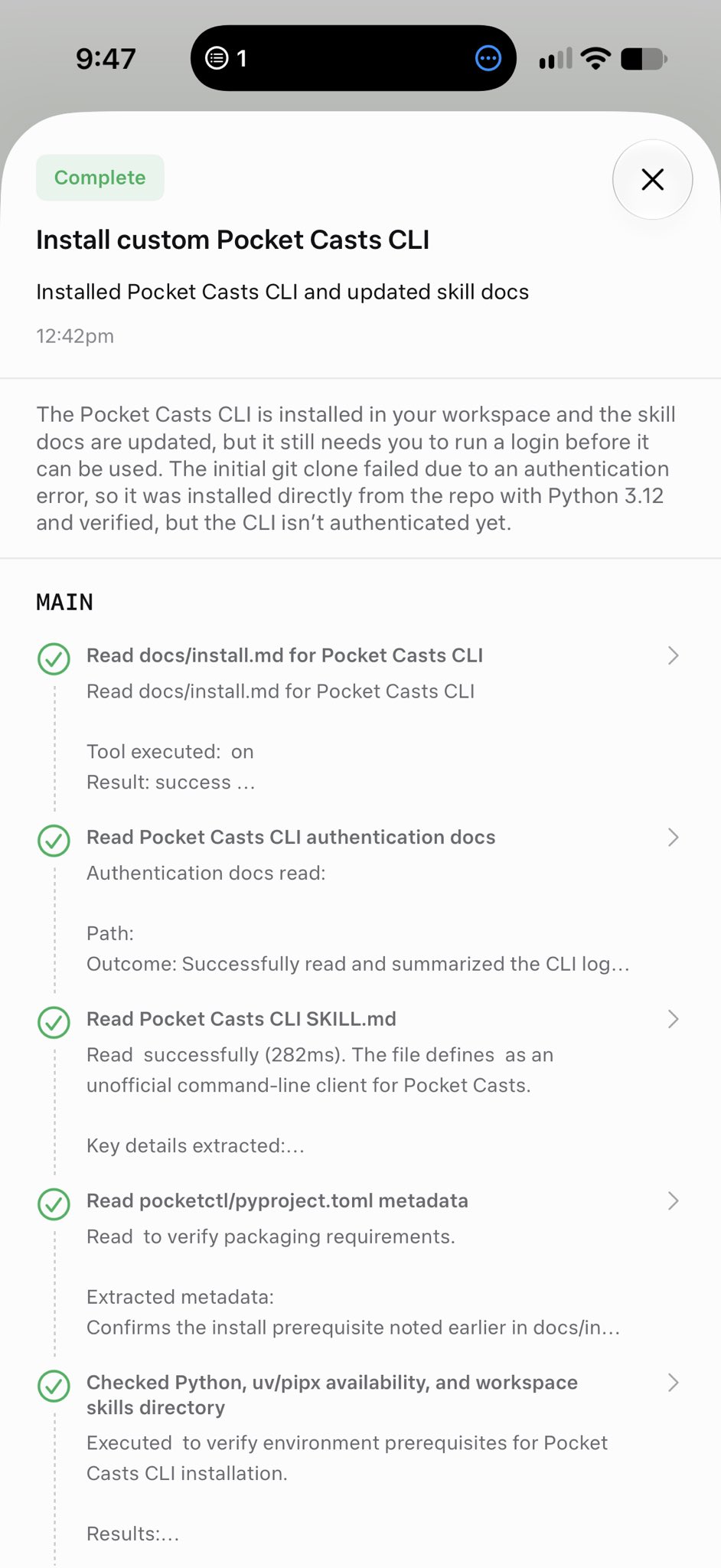
Federico Viticci (@viticci), founder and editor-in-chief of MacStories, shared a deep dive into the hidden power-user capabilities and underlying cloud architecture of Meta's personal AI agent, Muse. While Muse presents an exceptionally clean and fast consumer-facing interface by default, poking beneath the surface reveals a fully functional, isolated cloud Linux virtual machine (VM) and a comprehensive tool call inspection system.
Image source: Federico Viticci (@viticci) / Meta
Muse was designed so that mainstream users can delegate web browsing and multi-step tasks without needing to understand technical complexity. However, power users and developers can actively explore its execution environment, install custom command-line utilities (CLIs), and inspect how autonomous browser use actions are executed and evaluated in real time.
An Isolated Cloud Linux VM Behind a Minimalist Consumer UI
Muse's primary interface is intentionally streamlined so that general users can ask questions and trigger complex workflows without managing infrastructure or crafting complex prompt chains. Under the hood, however, each task session runs inside an isolated cloud Linux VM.
- Persistent multi-minute background execution: Complex searches, data aggregation, and autonomous browser tasks can run continuously in the background VM for several minutes.
- Hidden complexity that stays out of the way: As Viticci highlighted, "it's hidden unless you go hunt for it." This architectural separation keeps the experience frictionless for everyday users while preserving low-level control for technical users who want to inspect the system.
Installing Custom CLIs in /workspace/tools for Zero-Shot Agent Execution
One of the most practical power-user discoveries inside Muse's Linux environment is the ability to install custom CLI binaries directly into the VM.
- Target the tools directory: Instruct Muse through the chat prompt to download or write a specific CLI utility or script into the
/workspace/toolsdirectory. - Grant execution permissions: Ensure the binary has executable permissions (
chmod +x). - Zero-shot tool invocation: Once placed in
/workspace/tools, Muse automatically recognizes the executable as a newly available zero-shot tool and can invoke it directly during subsequent task execution.
Even when built-in integrations or third-party connectors are not natively supported, power users can bridge missing functionality by injecting their own CLI tools directly into the agent workspace.
Inspecting Browser Use Actions and Full Tool Call Logs
Muse provides built-in visibility into the agent's decision-making process, allowing users to inspect the full trace of tool calls and browser interactions.
- Query and navigation tracking: Users can review all search queries submitted by the agent, along with granular browser actions such as page clicks, scrolls, and form inputs across a timeline.
- Browser action evaluation logs: Muse logs how the agent evaluates page contents and determines whether a given step moved closer to the user's objective, providing transparent reasoning for branch decisions.
- End-to-end tool call debugging: The complete log of tool calls reveals internal parameters, intermediate responses, and execution sequences for complete transparency during multi-step research tasks.
Balancing Mainstream Usability with Power-User Control
Viticci commended how Alexandr Wang and the Meta Muse team approached product complexity:
By presenting a simple, approachable interface to consumers who simply expect AI to get things done, while simultaneously offering VM-level extensibility and rich inspection logs to technical users who want to look under the hood, Muse establishes a compelling benchmark for consumer-friendly agent design.
Original source
- Federico Viticci X post: https://x.com/viticci/status/2103942910165287369
- Meta Muse Official Portal: https://ai.meta.com/muse/