How to Direct Code-Rendered Short Films in 43 Styles with Claude Opus 5.5 and lemo-opuscar
A complete guide to lemo-opuscar, an open-source Claude Code skill where Claude Opus 5.5 writes Canvas and WebGL code to direct short films across 43 artistic s
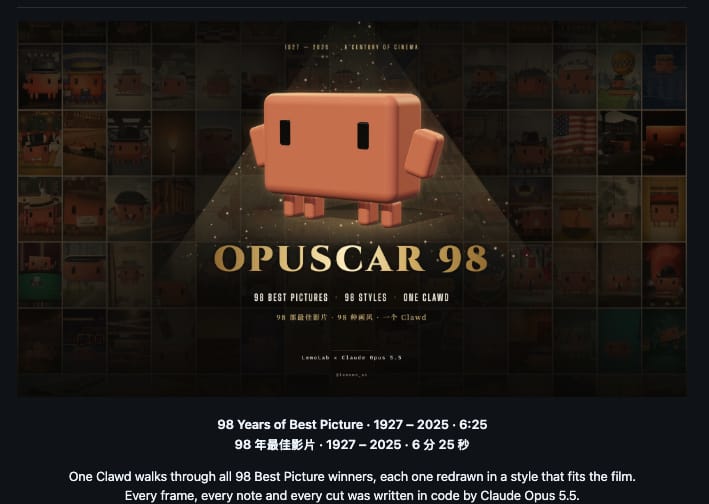
Created by developer Lemomo (@lemomo_ai) and showcased by Mario Nawfal (@RoundtableSpace) on October 5, 2026, lemo-opuscar is an open-source agent skill designed for Claude Code that enables Claude Opus 5.5 to synthesize procedural Canvas and WebGL rendering code to direct complete short films without relying on video generation models or stock footage.
Image source: @RoundtableSpace / Lemomo (@lemomo_ai)
Mainstream AI filmmaking workflows typically depend on compute-heavy video generation models or require creators to stitch together disjointed stock clips. In contrast, lemo-opuscar introduces a code-first paradigm: Claude Opus 5.5 applies its advanced reasoning and coding capabilities to programmatically script visual scenes frame by frame using browser-native graphics APIs, orchestrates music from free sample libraries, and aligns local text-to-speech narration into a finished timeline. Alongside the skill release, the author published 'OPUSCAR 98', an ambitious 6-minute, 25-second showcase recreating key moments from 98 Academy Best Picture winners using procedural visuals and the Clawd mascot character.
Installing and Configuring lemo-opuscar
Creators can integrate lemo-opuscar into their local environment either through the official Claude Code plugin ecosystem or by cloning the repository directly.
Method 1: Claude Code Plugin Marketplace (Recommended)
You can install and register the skill directly inside your terminal using the Claude Code marketplace commands:
claude plugin marketplace add lemomo-ai/lemo-opuscar
claude plugin install lemo-opuscar@lemolab
Upon initial execution, the plugin automatically provisions director instructions, graphics toolchains, and 43 style prompt assets (approximately 35MB) into your user home directory (~/lemo-opuscar). These assets are shared globally across all local Claude Code projects. Creators working with other agentic coding harnesses, such as Codex CLI, can easily adopt the workflow by copying the plugin/skills/lemo-opuscar/ folder into their harness's designated skills directory.
Method 2: Direct Repository Clone
Alternatively, you can clone the source repository directly to run a dedicated project workspace:
git clone https://github.com/lemomo-ai/lemo-opuscar.git
cd lemo-opuscar
claude
Launching claude from the repository root immediately exposes the bundled director scripts, rendering pipelines, and style libraries within the active session.
43 Artistic Styles and the Directing Workflow
The lemo-opuscar library bundles 43 production-tested visual styles out of the box, spanning Impasto Oil Painting, Watercolor Brush, Chinese Ink Wash, Ukiyo-e woodblock prints, Papercut layered animation, and Whiteboard Explainer graphics.
Prompt Syntax and Direction Examples
To initiate a production, users pass a natural-language brief specifying the desired artistic style, narrative arc, and audio requirements:
Make a 45-second film in the watercolor style about the coffee farm my family runs. Warm female narrator.
The system accepts specific prompts in English or Chinese, such as:
Make a 30-second film in the impasto oil painting style about the orange cat waiting on the windowsill for me to come home from work.
Pre-Flight Verification and the Three-Document Architecture
Rather than immediately generating code, the agent initiates a concise, single-turn pre-flight conversation to clarify narrative ambiguity before rendering:
- Any details about the topic the agent cannot independently decide
- Whether the creator has their own voiceover, music, or other material
- Whether the user wants to review storyboard key shots rendered in the real style before generating the full film
Once parameters are locked, the agent executes like a compact production studio guided by three modular internal specifications:
- Director Directives (
DIRECTOR.md): How to direct: story structure, sound, rhythm, camera framing, performance, and self-checks. - Technical Implementation (
TECHNIQUE.md): How to build: frame-by-frame rendering, voiceover (TTS), music integration, and audio mixing. - Individual Style Standards (
styles/{style}/STYLE.md): What the style looks and sounds like, leaving narrative specifics to the user.
System Requirements and Operational Considerations
Because the tool builds videos from procedural code execution rather than cloud video APIs, several environment prerequisites must be observed:
- Model Specialization (Claude Opus 5.5): The rendering logic, procedural math, and style definitions are tuned specifically to the reasoning capacity and code generation precision of Claude Opus 5.5. Using smaller models or alternative LLM architectures may not reproduce the same visual fidelity.
- Local Runtime Stack: The host system must have Node.js 20+, FFmpeg (for frame assembly and audio muxing), and Python 3.11+ (or the uv package manager) installed and available in the system PATH.
- Active Interactive Session: Synthesizing and coordinating frame-by-frame graphics code requires an active Claude Code session with access to Claude Opus 5.5.
- Asset Storage and Rendering: On first use, downloading guides, tools, and style prompts requires approximately 35MB to
~/lemo-opuscar, with the final video rendered locally via installed Node.js, FFmpeg, and Python environments.
Original source
- Lemomo Official GitHub Repository: lemomo-ai/lemo-opuscar
- 0xMarioNawfal Post on X: @RoundtableSpace (2026-10-05) - Lemo-Opuscar Claude Opus 5.5 Film Project
- Lemomo Post on X: @lemomo_ai (2026-10-05) - Opus 5.5 Film Generation Response