awesome-design-md: Structuring Apple and Linear Design System Specs for AI Coding Agents
An overview of awesome-design-md, an open-source repository that structures design guidelines from Apple, Linear, and Stripe into DESIGN.md specifications to gu
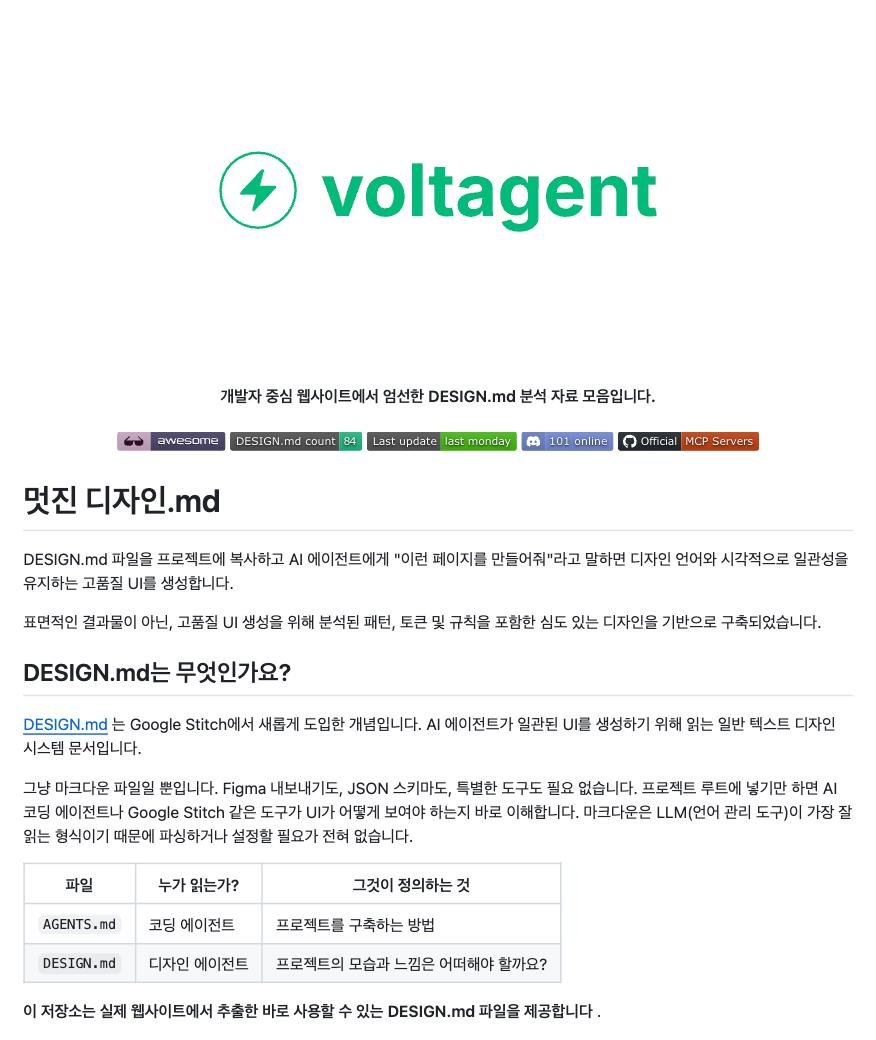
While modern AI coding tools have dramatically accelerated the speed of drafting frontend code and assembling components, maintaining cohesive visual hierarchy and refined design consistency remains a persistent challenge. When developers repeatedly ask an assistant to “make this look more premium” or “give it a modern SaaS aesthetic,” large language models often interpret these subjective instructions differently across turns, resulting in disjointed typography, mismatched spacing, or fragmented brand styling. To eliminate this ambiguity, the open-source repository 'awesome-design-md' has emerged as a practical standard, converting world-class design systems—including Apple, Linear, and Stripe—into machine-readable DESIGN.md specification files tailored for AI coding agents.
Image source: @AI_Caffeine via X
On October 14, 2026, social tech curator AI Caffeine (@AI_Caffeine) highlighted the rapid rise of awesome-design-md, which has surpassed 121,000 (121k) GitHub stars, outlining its core architectural mechanics and actionable prompt integration workflows. Rather than relying on vague aesthetic adjectives, the project demonstrates how developers can inject explicit design tokens, layout constraints, and component rules directly into an agent's context window to produce cohesive, production-grade frontend interfaces.
1. DESIGN.md: Five Core Pillars of Machine-Readable Design Specifications
The central innovation of awesome-design-md lies in translating visual guidelines traditionally written for human eyes into structured, plain-text markdown specifications (DESIGN.md) that AI agents—such as Claude Code, Codex, and Cursor—can systematically parse and enforce. Each service-specific specification in the repository is meticulously organized across five core architectural pillars:
- Color Codes and Semantic Mapping: Explicit definitions of HEX/HSL color tokens alongside their dedicated semantic roles, including background, surface, border, primary text, muted text, and accent states.
- Typography and Hierarchy: Numerical specifications for font families, baseline body sizes, line heights, font weights, and clear hierarchical scaling across heading levels (H1 through H6).
- UI Components and Interactive States: Structural requirements and visual styling for foundational components—such as buttons, cards, input fields, and modals—coupled with explicit definitions for hover, focus, active, and disabled interaction states.
- Spacing, Grids, Elevation, and Responsive Rules: Standardized padding and margin multiples (such as 4px or 8px grid units), element gap definitions, box-shadow elevations, and layout reflow behaviors across mobile breakpoints.
- Strict Rules and Anti-Patterns: Mandatory implementation requirements paired with explicit "what not to do" anti-patterns to prevent conflicting color pairings or broken visual rhythm.
2. Interactive HTML Previews Across Diverse System Ecosystems
Beyond raw markdown documentation, awesome-design-md includes standalone HTML previews, allowing developers to visually inspect and validate each aesthetic system in a live browser environment before adopting it.
The repository spans an extensive array of production-proven design languages. Alongside Apple's refined, hardware-software minimalist aesthetic, it features the sleek developer-centric styling of Linear and Stripe, modern productivity interfaces from Notion, Vercel, and Airbnb, as well as the distinctive visual identities of Claude and Cursor web platforms. For specialized creative needs, retro web design themes are also provided, enabling developers to align their chosen design system with their project's intended character and audience.
By previewing the HTML layouts firsthand, developers can evaluate the tangible look and feel of a system before downloading the corresponding DESIGN.md into their project workspace.
3. Practical Integration Workflows for Claude Code, Codex, and Cursor
The most effective way to leverage these specifications is by binding the document as a primary constraint before prompting an AI agent to write UI code.
When interacting with tools like Claude Code, Codex, or Cursor, developers can anchor the agent with a targeted instruction:
“Read the DESIGN.md file located in this project first, and implement [the target page/component] strictly following its color tokens, spacing metrics, and component interaction rules.”
Providing explicit, bounded parameters prevents the language model from hallucinating arbitrary margins, inconsistent font sizes, or unmotivated gradients. Developers can bypass the iterative friction of vague aesthetic revisions, saving time and token budgets while generating visually harmonious frontend code in significantly fewer iterations.
4. Production Considerations: Context Management and Customization
While awesome-design-md substantially elevates AI-driven frontend productivity, integrating it into existing workflows requires careful consideration of key technical trade-offs:
- Token Economy and Context Optimization: Injecting an entire, exhaustive DESIGN.md file into every prompt or agent session can strain context windows and inflate LLM inference costs. In active development, teams are encouraged to extract and inject only the relevant subsections (e.g., navigation bar tokens or form input states) pertaining to the specific page or component being authored.
- Domain Logic and Accessibility Adaptation: Because these templates represent static visual design systems, teams must complement them with project-specific requirements, including proprietary business logic, comprehensive web accessibility standards (WCAG/a11y), and dynamic dark mode toggles tailored to internal architecture.
Sources
- AI Caffeine ☕️ (@AI_Caffeine) on X: awesome-design-md Introduction and DESIGN.md Workflow Guide
- awesome-design-md GitHub Link: GitHub Repository Link