A Curated AI Tool Stack Guide for Building Cinematic Scroll-Driven Websites
A complete step-by-step AI toolchain stack combining Scrolltide prompt libraries with coding engines like Claude Code, Cursor, Lovable, v0, and media generators
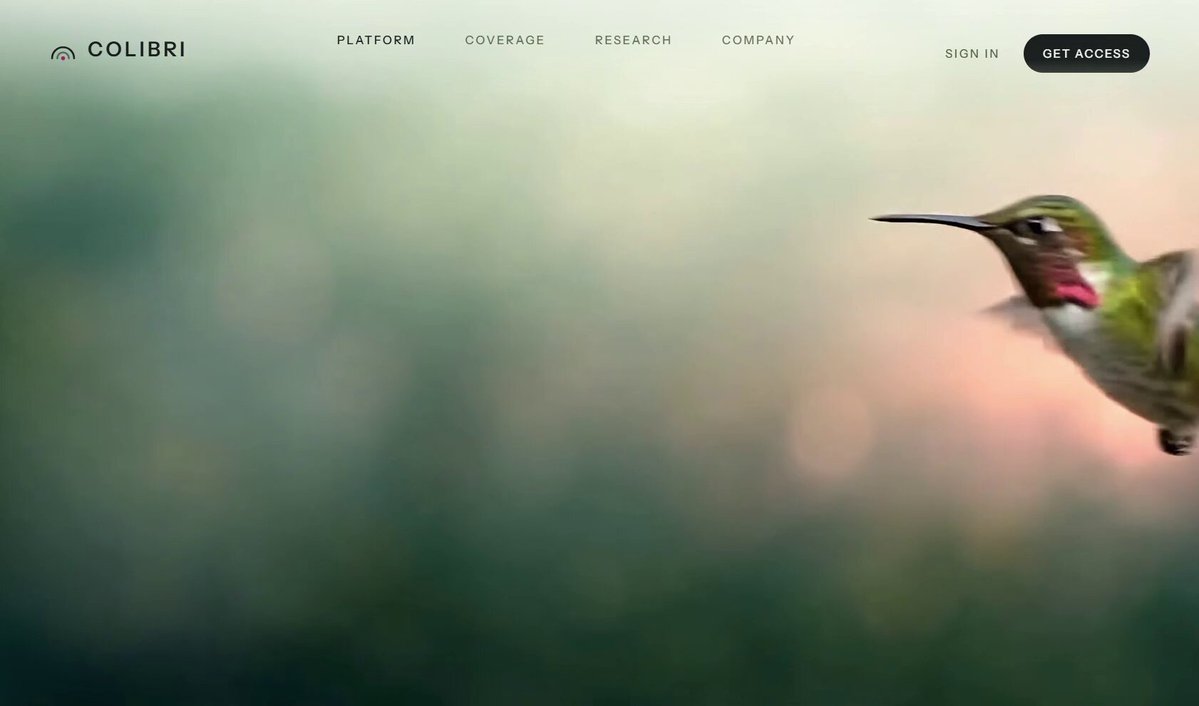
AI web creator Himanshu Hingorani (@himanshubuildss) has shared a curated, multi-layered tool stack designed to streamline the creation of high-impact, cinematic, and scroll-driven interactive websites using AI.
Image source: Himanshu Hingorani (@himanshubuildss)
Beyond static landing pages and conventional component layouts, demand is rapidly growing for cinematic websites where smooth camera trajectories, parallax scrolling, and video loops respond dynamically to user navigation. However, building these experiences effectively requires orchestrating the right tools across each stage: interaction design prompts, frontend code scaffolding, and cinematic asset generation.
The recommended stack organizes 11 essential AI tools into three core layers: prompt and design references (Start here), site planning and code generation engines (The AI that builds it), and visual asset generation (The visuals).
1. Prompt and Cinematic Design Reference (Start here)
The foundation of any cinematic website begins with tested interaction models and comprehensive prompt architectures.
- 1. Scrolltide (scrolltide.co): A platform featuring a curated library of cinematic, scroll-driven websites and UI components. It provides ready-to-use prompts for reproducing award-winning websites along with access to over 600 website prompts that can be copied directly into AI coding tools.
2. Planning and Frontend Code Generation Engines (The AI that builds it)
Once the prompt and architectural outline are defined, creators can select from CLI agents, dedicated IDEs, or in-browser builders depending on their preferred workflow.
- 2. Claude (claude.ai): Acts as the planning orchestrator to define website information architecture (IA), refine design systems, and author comprehensive specification prompts.
- 3. Claude Code (claude.ai/code): A command-line AI coding agent that works directly on the local filesystem, autonomously handling component creation, dependency installation, builds, and iterative debugging.
- 4. Cursor (cursor.com): An AI-native code editor offering deep codebase context, inline multi-line editing, and seamless multi-file refactoring.
- 5. Lovable (lovable.dev): A browser-based AI application builder that creates and deploys responsive full-stack web applications in real time from natural language prompts.
- 6. v0 (v0.dev): Vercel's prompt-to-component generation engine, specializing in producing modern React and Tailwind CSS UI components with instant visual preview.
- 7. Bolt (bolt.new): An in-browser prompt-to-app builder powered by WebContainers, running full Node.js runtimes directly within the browser tab.
- 8. Gemini CLI: Google's command-line coding assistant that leverages long-context reasoning for local codebase inspection and terminal-based coding workflows.
3. High-Resolution Visual Assets and Video Loops (The visuals)
To deliver an immersive cinematic atmosphere, visual assets must match the fidelity of the code framework.
- 9. Midjourney (midjourney.com): Generates high-resolution hero visuals and brand mood board assets that establish the visual tone of the landing page.
- 10. GPT Image: Creates and iterates on custom illustration styles and supporting UI graphics directly inside conversational ChatGPT workflows.
- 11. Seedance: Generates seamless AI video loops tailored for hero headers and scroll-scrubbed background media.
Recommended Workflow: From Concept to Deployment
These 11 tools achieve their highest utility when chained into a cohesive pipeline:
- Reference & Prompt Assembly: Select interaction patterns and component prompts from Scrolltide, then tailor them to your specific brand identity using Claude.
- Visual Pre-generation: Generate high-definition hero images via Midjourney or GPT Image, and render video loops with Seedance to populate the static media directory.
- Assembly & Interaction Crafting: Rapidly assemble the interface using browser-based builders (Lovable, v0, Bolt) or construct the production codebase locally with Claude Code, Cursor, or Gemini CLI, integrating smooth-scrolling libraries such as Lenis and GSAP ScrollTrigger.
Original source
- Himanshu Hingorani Official X (@himanshubuildss): Stack for Building a Site Like This with AI