Running Qwen3.5-9B at 260K Full Context on RTX 5060 Ti 16GB: llama.cpp Performance Benchmarks
A measured performance, response latency, and power consumption comparison of running Qwen3.5-9B at 260K maximum context on a 16GB VRAM GPU across llama.cpp, Ol
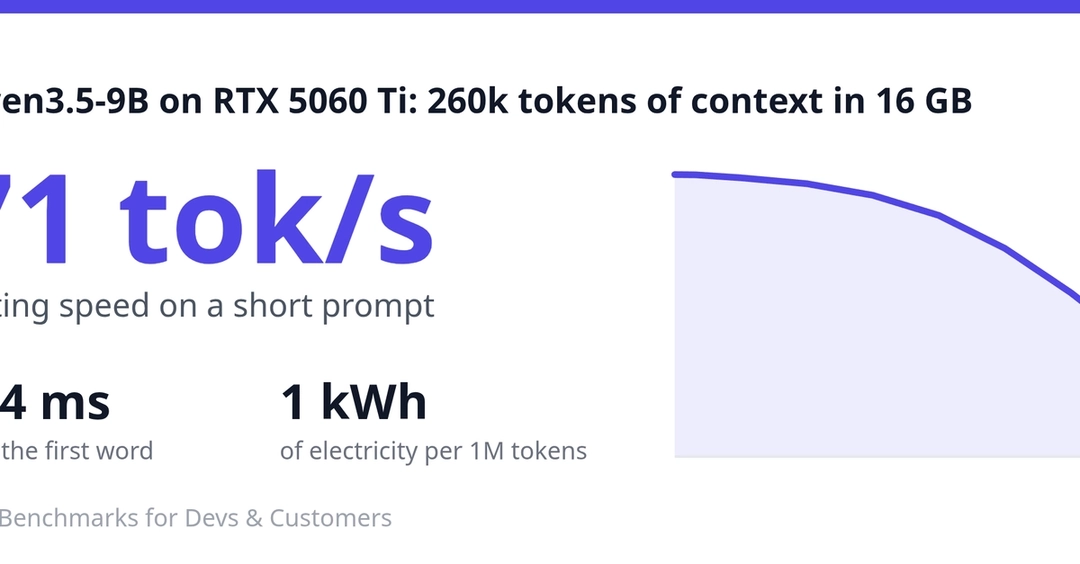
Running large language models (LLMs) locally at home or in small offices always faces hardware constraints. Recently, benchmark measurements were published detailing how the Qwen3.5-9B model—boasting approximately 9 billion parameters—runs at a massive 260k-token context window on an NVIDIA GeForce RTX 5060 Ti graphics card equipped with 16GB of video memory (VRAM).
Image source: https://dev.to/elcances/qwen35-9b-on-rtx-5060-ti-260k-tokens-of-context-in-16-gb-1dmj
This real-world test demonstrates how reliably an affordable 16GB VRAM budget hardware setup handles long documents and extensive conversations, while comparing performance across popular open-source runtimes: llama.cpp, Ollama, and vLLM.
Running 260K Full Context within 16GB VRAM
The test bench featured a Linux system equipped with an Intel Core Ultra 7 265K processor, 64GB of RAM, and an MSI GeForce RTX 5060 Ti 16GB GDDR7 GPU. The Qwen3.5-9B model sits just below the medium-size range where analytical depth and general knowledge start to become compelling.
Loading a 260k-token context window into the model consumed approximately 15GB of the card's 16GB VRAM, enabling it to process texts equivalent to a 100-page book in a single prompt. However, clear performance trade-offs emerged between short prompts and maximum context environments in terms of generation speed and latency.
Comparing Runtimes: llama.cpp vs. Ollama and vLLM
Using the exact same model and hardware, three popular free programs used to run models locally—llama.cpp, Ollama, and vLLM—were benchmarked in their out-of-the-box installation states.
- llama.cpp: Achieved a leading generation speed of 71 tokens per second on short prompts, with the fastest time to first word at 164 milliseconds. It also featured the shortest startup time at 1.3 seconds.
- Ollama: Offers straightforward installation and usability, matching llama.cpp at 71 tokens per second on short prompts. However, its time to first word clocked in at 226 milliseconds with a 5.1-second startup time.
- vLLM: Built for serving multiple concurrent users. In this test, it ran on a compressed awq-AWQ-4bit version rather than the GGUF format used by the others. For a single user, it delivered 65 tokens per second on short prompts with a 179ms time to first word, while supporting up to a 66k-token limit.
As context length grew, llama.cpp's generation speed fell from 71 tokens per second at a 512-token context down to 60 tokens per second at 32k tokens, and 28 tokens per second at the full 260k-token context. At full context, waiting for the first word took approximately 2.7 minutes.
Choosing Between Single-User Speed and Multi-User Serving
These benchmark results show that the right tool depends on your use case. For a single user running models locally who wants maximum short-prompt speed and responsiveness, llama.cpp stands out as the winner. If installation ease is the priority, Ollama serves as an accessible alternative.
On the other hand, vLLM shines in shared environments. While limited for a single user compared to the others, running it to serve 16 simultaneous users on the same machine yielded a combined output of 529 tokens per second, with each user still seeing the first word in about 2.2 seconds. This proves a budget computer can back an entire team or small product rather than just one person. Power consumption measured around 1.0 kWh per 1 million generated tokens (costing roughly €0.26).
These benchmarks depend on the specific hardware and software versions tested, and vLLM's use of a different compression format means program comparisons are not strictly like-for-like. Nonetheless, the data confirms that building a local AI setup capable of handling massive contexts on an entry-level consumer GPU is entirely viable.
Sources
- Dev.to (Auralis Lab): Qwen3.5-9B on RTX 5060 Ti: 260k tokens of context in 16 GB
- Auralis Lab Full Benchmark Analysis: Qwen3.5-9B on GeForce RTX 5060 Ti 260k Token Context Entirely in VRAM