Qwen Code: An Open-Source AI Coding Agent CLI Spanning Terminals and Editors
Discover Qwen Code, an open-source AI coding agent supporting Auto-Memory, MCP, SubAgents, and multi-LLM protocols across terminals, desktops, and IDEs.
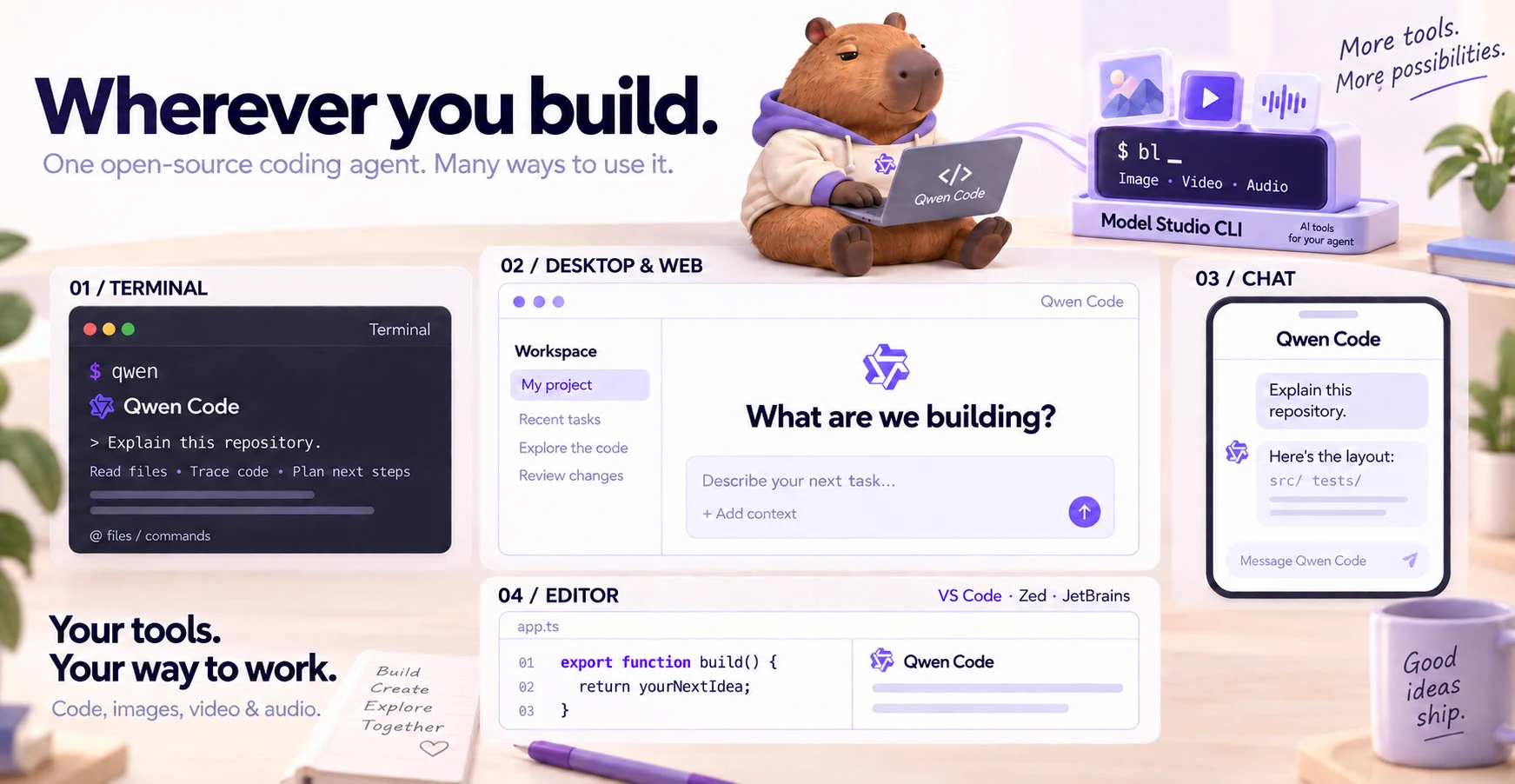
Image source: QwenLM
Developed by the Qwen team at Alibaba, Qwen Code is an open-source artificial intelligence coding agent designed to operate directly within a developer's terminal and editor environments. In modern software engineering, agentic tools that go beyond simple code completion by autonomously analyzing project structures and executing complex workflows have captured significant attention. Qwen Code answers this demand by combining terminal-native convenience with deep extensibility, earning widespread acclaim across the open-source ecosystem.
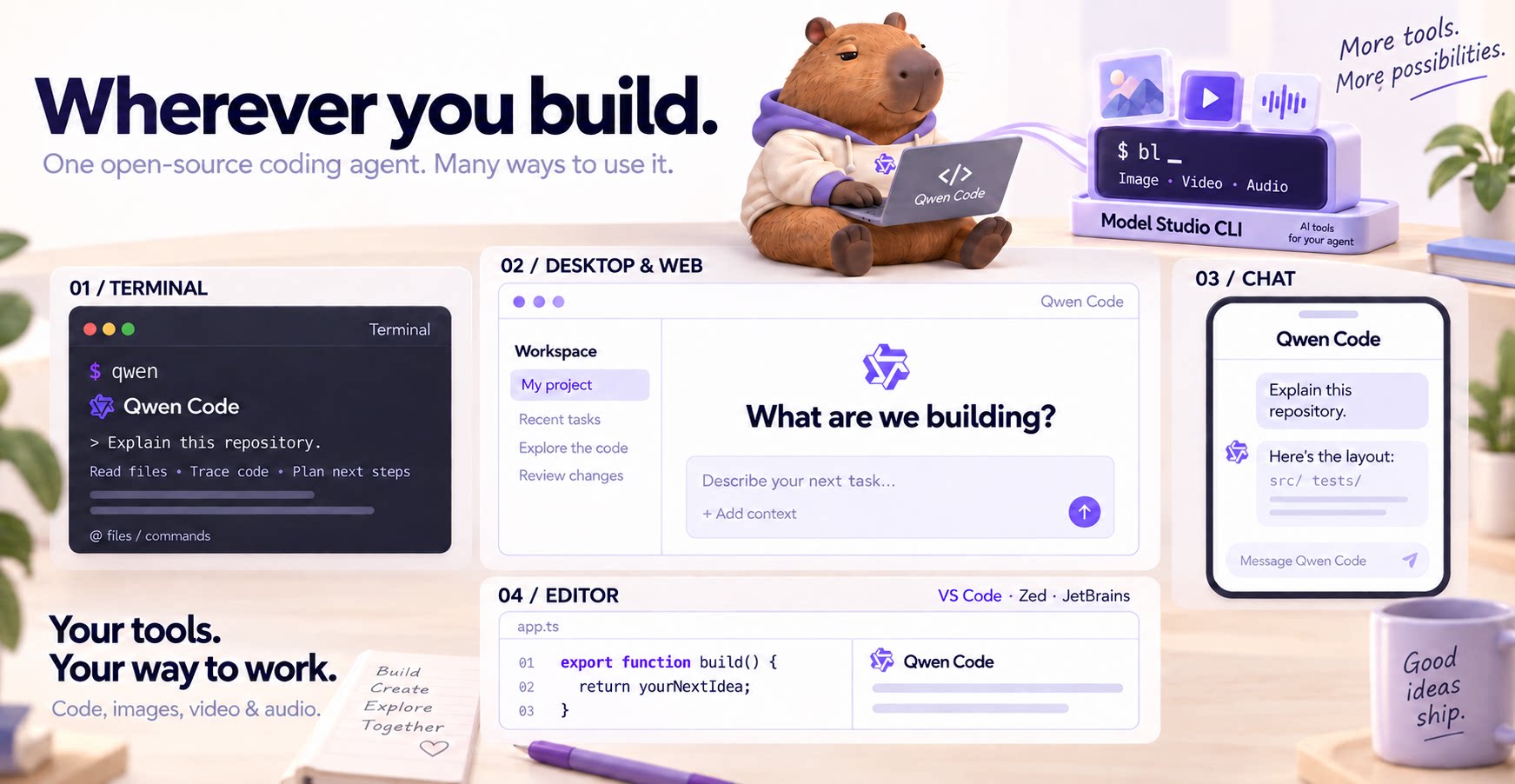
Image Credit: QwenLM
Automating recurring software development tasks such as code analysis, bug fixing, and environment setup is a core pillar of productivity enhancement. Qwen Code lives directly inside your everyday terminal sessions, engineered to comprehend entire project contexts and manipulate code autonomously. Licensed under the Apache License 2.0, the project's source code is fully transparent, allowing developers to customize it freely and adopt it without vendor lock-in or proprietary security concerns.
Core Features and Architecture: Agentic Memory and Multi-Protocol Support
The defining characteristic of Qwen Code is its suite of agentic capabilities activated right from the first session. Agentic features mean the system goes beyond static Q&A, using autonomous reasoning and tool invocation to fulfill complex tasks.
- Auto-Memory: Automatically records and learns project structures and historical tasks to maintain consistent context across sessions.
- MCP (Model Context Protocol) and SubAgents: Supports standard protocols linking external tools and data sources while embedding a subagent architecture that breaks down complex work into specialized roles.
- Multi-Protocol Support: Freely switches at runtime between the native Qwen API and major commercial AI model APIs including OpenAI, Anthropic, and Gemini. It also integrates with local model backends such as Ollama and vLLM for privacy-sensitive deployments.
Beyond the Terminal: Installation and Practical Workflow
Rather than remaining restricted to a traditional command-line interface, Qwen Code extends seamlessly into diverse developer workflows. It natively supports a standalone desktop application, a browser-based web UI (qwen serve --open), editor plugins for VS Code, Zed, and JetBrains, and chat integrations like Telegram and DingTalk.
On Linux and macOS environments, you can install the tool easily using the official standalone shell script:
curl -fsSL https://qwen-code-assets.oss-cn-hangzhou.aliyuncs.com/installation/install-qwen-standalone.sh | bash
For Windows environments, installation runs through PowerShell:
irm https://qwen-code-assets.oss-cn-hangzhou.aliyuncs.com/installation/install-qwen-standalone.ps1 | iex
If your environment provides Node.js 22 or higher, installation is also available via npm or Homebrew:
npm install -g @qwen-code/qwen-code@latest
brew install qwen-code
After installation, open a terminal in your project directory and run qwen to start a session. Inside the session, execute /auth to configure your subscription account or API key, then prompt the agent in natural language to explain the repository.
Continuous Iteration and Considerations
The v0.27.3 release deployed on November 13, 2026, further refined day-to-day usability by introducing status chips for unfinished background workflows in the web shell composer, optimized managed MCP inventories, and headless event-bus loop foundations.
However, certain advanced features like the Web UI (qwen serve --open) and dynamic workflows remain experimental, warranting careful stability evaluation for strict production rollouts. Additionally, npm installations strictly require a Node.js 22.0.0 or higher runtime environment, so checking system prerequisites beforehand is advised.
Sources
- QwenLM GitHub Repository: Qwen Code Official Repository