How to Use DeepSeek-v4.1-flash for Free in Orca: OpenCode Model Setup and Hybrid Agent Workflow Tips
A step-by-step practical guide to configuring the Deepseek-v4.1-flash-free model in Orca's OpenCode, leveraging its 200k context window alongside Codex and Clau
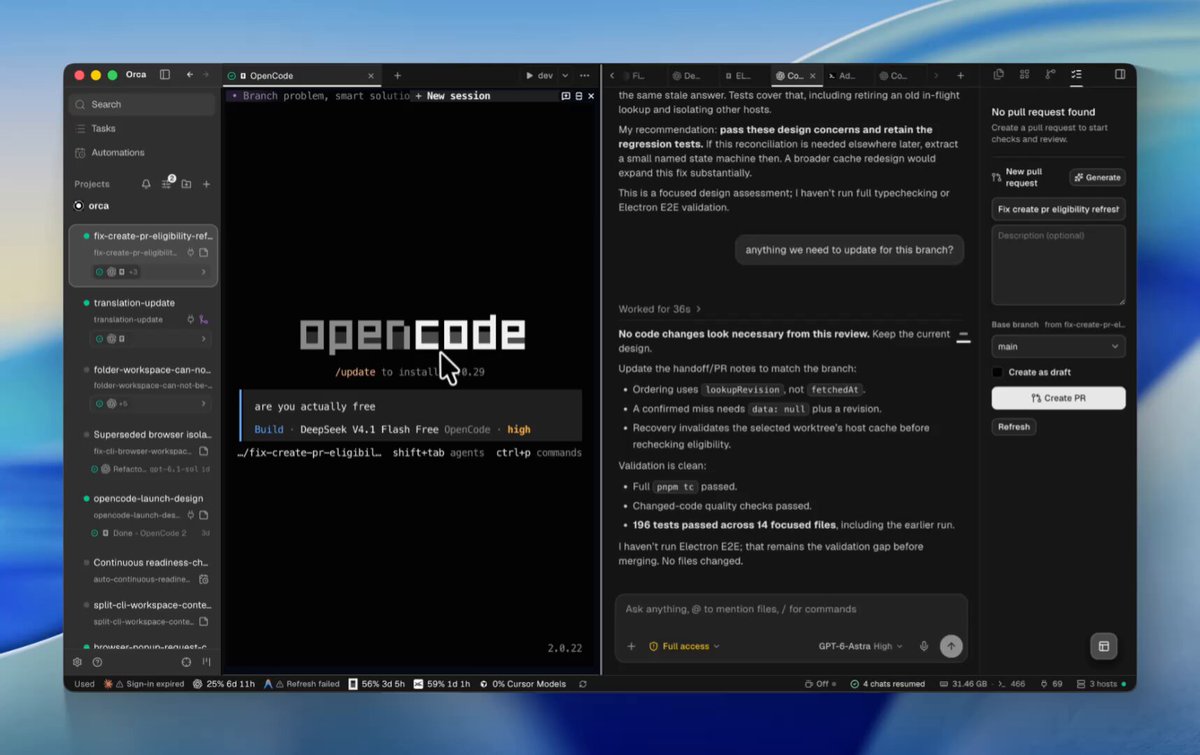
The Orca ADE development team (@orca_build) has outlined a straightforward two-step process for running the Deepseek-v4.1-flash-free model at zero cost within OpenCode, paired with actionable advice on hybrid model routing.
Image source: @orca_build via X
In the Orca autonomous development environment, OpenCode can be accessed either via the terminal command line or through the newly added Chat UI. With Deepseek-v4.1-flash-free now available directly from the model picker, developers can handle routine exploration, boilerplate generation, and automated test scaffolding without incurring incremental API costs, while preserving quota for heavy-duty reasoning tasks.
1. Launching OpenCode and Selecting the Free Flash Model
Setting up Deepseek-v4.1-flash-free in OpenCode requires two straightforward steps:
- Access OpenCode: Open an OpenCode session via the terminal command line or open the new Chat UI.
- Select the Model: Choose
"Deepseek-v4.1-flash-free"from the model picker dropdown.
# Standard entry command to launch OpenCode in terminal environments
opencode
Once selected, the free-tier session initializes immediately, allowing developers to execute interactive coding loops right inside their local worktrees.
2. Enabling the New Chat UI and Version Support Roadmap
For developers who prefer a visual side-by-side chat window over a terminal-only layout, the configuration steps and current version scope are explicitly documented:
- Enabling Chat UI: Navigate to
Settings > chat uiin the interface and switch the toggle to activate the graphical chat view. - Version Compatibility: OpenCode's Chat UI currently supports OpenCode 1. Official Chat UI support for OpenCode 2 is scheduled to roll out in an update later this week.
This setup allows engineers to smoothly alternate between quick command-line terminal entries and comprehensive conversational chat threads depending on task complexity.
3. 200k Context Limits and Recommended Hybrid Fleet Strategies
The core takeaway highlighted in the Orca team's pro tip is recognizing the architectural limits of free models and combining them deliberately with flagship reasoning engines:
- 200k Context Boundary: The
Deepseek-v4.1-flash-freeendpoint is constrained to a 200k token window. For full monorepo re-indexing or long multi-file debugging sessions, developers must actively track token utilization. - Hybrid Task Delegation: Route zero-cost Flash models toward high-volume, low-friction tasks such as codebase search, helper function stubs, and unit test generation.
- Reserving Heavy-Duty Models: Keep premium models such as Codex or Claude Code in reserve for deep multi-file architectural refactoring, complex root-cause debugging, and mission-critical production changes.
Original source
- Orca Official X (@orca_build): DeepSeek-v4.1-flash Free Setup Guide Post