Running MiniMax H3 on 12GB GPUs: 46% Less VRAM with Kijai INT8 VAE in ComfyUI
How to run MiniMax H3 on 12GB GPUs like the RTX 5070 using Kijai's INT8 ConvRot VAE, reducing VAE VRAM consumption from 4,965 MB to 2,677 MB by 46% with no qual
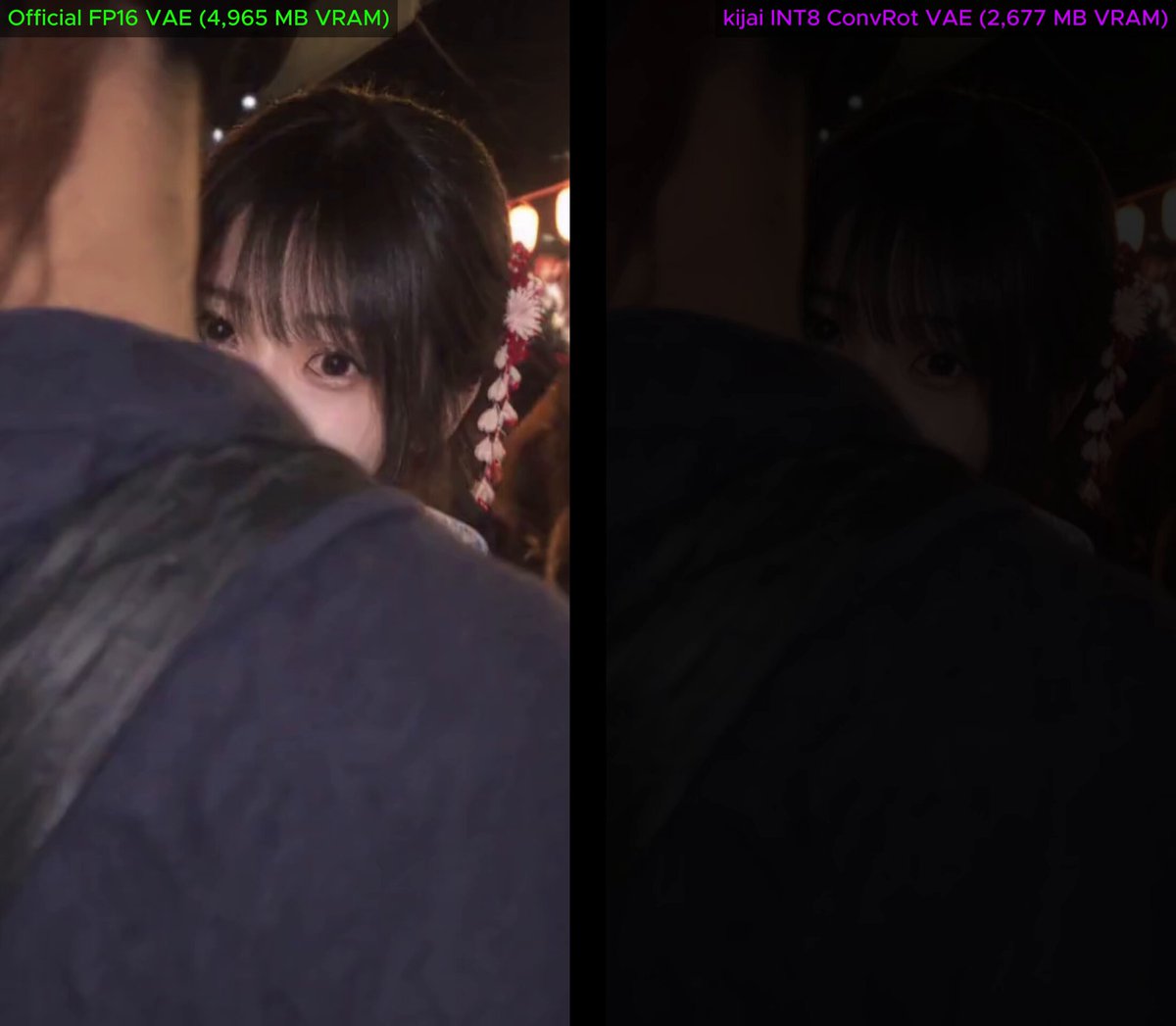
AI creator Tom𝕎 (@Tomw852) shared a comprehensive benchmark and optimization setup for running the open-source MiniMax H3 video model locally on a 12GB GPU (tested on an NVIDIA GeForce RTX 5070 12GB). By replacing the stock FP16 VAE with Kijai's newly released INT8 ConvRot VAE (minimax_h3_video_vae_int8_convrot.safetensors), creators can slash VAE memory usage by 46% while shaving 15 seconds off total generation time, making high-resolution local video generation far more accessible on consumer-grade hardware.
Image source: Tom𝕎 (@Tomw852)
RTX 5070 12GB Benchmarks: 46% VRAM Reduction in the VAE Stage
MiniMax H3 is a powerful open-source foundation model capable of processing unified multimodal inputs (text, image, video, and audio) and generating up to 2K resolution video with native stereo sound and durations up to 15 seconds. However, decoding high-resolution video latents through a standard Variational Autoencoder (VAE) places heavy demands on GPU memory, often triggering out-of-memory (OOM) exceptions on mid-tier cards limited to 12GB of VRAM.
To test practical efficiency gains, Tom𝕎 conducted a side-by-side benchmark generating a 15-second video under identical conditions on an RTX 5070 12GB, comparing the official FP16 VAE directly against Kijai's INT8 ConvRot VAE (minimax_h3_video_vae_int8_convrot.safetensors). The execution logs revealed a substantial memory and latency reduction:
- Official FP16 VAE: 4,965 MB peak VRAM usage | 417.8 seconds total generation time
- Kijai INT8 ConvRot VAE: 2,677 MB peak VRAM usage | 402.9 seconds total generation time
The INT8 ConvRot VAE cut VRAM consumption by roughly 2,288 MB (a 46% drop) in the VAE stage while speeding up overall generation by approximately 15 seconds. Side-by-side visual comparisons confirmed virtually zero perceptible degradation in image clarity or motion fidelity. In community replies, Tom𝕎 clarified that the 46% memory saving applies specifically to the VAE decoding phase—dropping memory pressure from 4,965 MB down to 2,677 MB—which grants 12GB graphics cards critical headroom to finish demanding generations without crashing.
Recommended 12GB Pipeline: INT8 Base Weights and LoRA Stack
To maintain smooth throughput on a 12GB hardware budget, Tom𝕎 outlined the full multi-tier model and LoRA stack utilized in his production pipeline:
- Base Model: DaSiWa MiniMax H3 Hybrid V2 INT8 (available on Civitai). Using quantized INT8 base weights rather than uncompressed FP16 weights substantially lowers the baseline memory footprint of the diffusion transformer itself.
- VAE: Kijai INT8 ConvRot VAE (
minimax_h3_video_vae_int8_convrot.safetensors). Loaded into the ComfyUI VAE loader directly from the official Comfy-Org repository. - Acceleration and Styling LoRAs:
- Turbo V4 Step 600 (Strength: 1.0): Drastically cuts the required sampling step count, accelerating inference speed without compromising structure.
- Realism People LoRA (Strength: 0.8): Fine-tunes human textures, skin details, and natural rendering.
- Optional Second Pass: LMS V1.0 R64 LoRA (Strength: 0.8). Used in an optional refinement pass when additional visual fidelity is required.
This pipeline runs inside a modular ComfyUI workflow integrating official nodes and community extensions, building upon architecture patterns previously shared by the author for local video generation.
Community Latency Benchmarks, RTX 3060 Headroom, and Decode Troubleshooting
Following the release of Kijai's INT8 VAE, community members across Hugging Face and Reddit validated the performance gains across various hardware configurations. Dedicated decode benchmarks on a 5-second 1344×768 clip demonstrated that while the official FP16 VAE took 19.5 seconds to decode with a 4.9 GB file size, the INT8 ConvRot VAE decoded the clip in just 10.0 seconds with a 3.0 GB file—achieving a 1.5x to nearly 2x decode speedup with a negligible 0.97% relative RMS difference.
The update has also expanded the operational envelope for entry-level hardware like the RTX 3060 12GB. One community member on an RTX 3060 with 16GB RAM reported that while generations were previously capped at 0.8 megapixels, the INT8 VAE allowed consistent generation at 1.0 megapixel for 10-second videos and 0.7 megapixels for 15-second videos using reference-to-video (R2V) workflows with up to three reference images. Another user confirmed rendering an 8-step Turbo LoRA video (5 seconds at 864×480) in approximately 4.5 minutes.
Users should be aware of one common configuration caveat during setup: some early testers reported an issue where video previews rendered correctly, but the saved output file produced only audio over a black screen. This issue stems from outdated custom nodes or incorrect safetensors links. Users should download the verified file directly from the Comfy-Org Hugging Face repository (minimax_h3_video_vae_int8_convrot.safetensors) and ensure their ComfyUI VAE decode nodes are up to date.
Original source
- X (formerly Twitter) @Tomw852 Post: RTX 5070 12GB MiniMax H3 Kijai INT8 VAE Benchmark and Resource Thread
- Hugging Face Comfy-Org: MiniMax H3 INT8 ConvRot VAE (minimax_h3_video_vae_int8_convrot.safetensors)
- Civitai: DaSiWa MiniMax H3 Hybrid V2 INT8 Base Model
- Hugging Face drbaph: MiniMax H3 Turbo LoRA ComfyUI