How to Check If Your Email Was Leaked for Free: A Practical Have I Been Pwned Guide
A step-by-step guide to verifying whether your email address has appeared in known data breaches using Have I Been Pwned, including follow-up password security
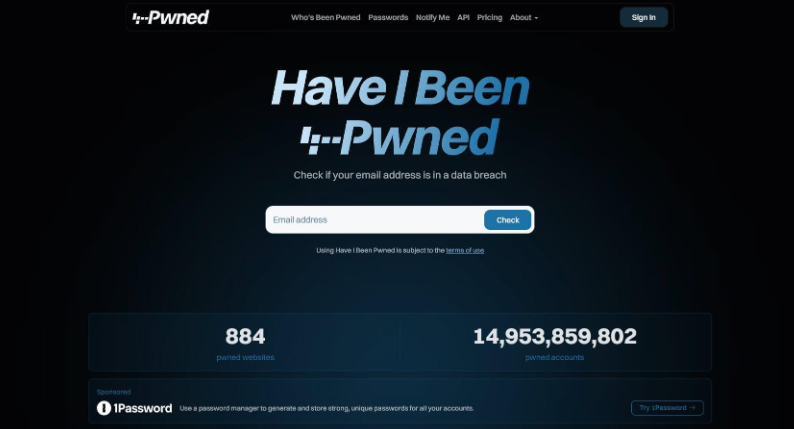
With large-scale personal data breaches frequently impacting online services, many users are rightfully concerned about whether their everyday email addresses have leaked across hacker forums or the dark web. On October 17, 2026, security tip creator Jeongbin (@j3ongbin) on X shared a quick, practical guide on how to verify whether your email address has been compromised in known data breaches using the free security verification site 'Have I Been Pwned', along with essential remediation steps.
Image source: X @j3ongbin
'Have I Been Pwned' is a well-known free information security platform that aggregates records from publicly acknowledged data breach incidents worldwide. It allows users to cross-check whether their email address appears in any compromised datasets without requiring account registration, software installation, or sensitive credential input.
A 3-Step Procedure for Checking Email Breach Records
The verification process outlined by the original author consists of three straightforward steps:
- Access haveibeenpwned: Open a web browser and navigate to the official website at https://haveibeenpwned.com.
- Enter your email address: Type the email address you wish to inspect into the primary search bar.
- Review known breach records: Submit the query to inspect the list of verified data breaches and detailed exposure logs associated with the address.
Immediate Action Items When a Breach Is Found: Password Reset and Credential Audit
If the search surfaces known breach records associated with specific services, immediate defensive action is necessary to protect your accounts:
- Change passwords for affected services: Log into the breached platform immediately and replace the existing password with a strong, unique credential.
- Audit accounts sharing identical passwords: If the compromised password was reused across other platforms or applications, those accounts are vulnerable to credential stuffing attacks. Ensure that every account sharing that credential undergoes a thorough password update.
Interpreting Search Results: Understanding the Limits of 'No Results'
The author explicitly cautioned against assuming complete immunity simply because no breach records appear in the search results:
- Coverage limited to known breaches: Have I Been Pwned checks against publicly documented and verified breach archives. A clean search result does not prove that an email address has never been compromised in any context.
- Uncataloged and private breaches: Data from undisclosed security incidents, localized breaches, or recently stolen credentials not yet cataloged by the security community will not be reflected immediately. Users should remain proactive by pairing regular checks with foundational security habits such as two-factor authentication (2FA) and password managers.
Original source
- Jeongbin (@j3ongbin) Official X Post: Have I Been Pwned Email Leak Verification Tips
- Have I Been Pwned Official Website: https://haveibeenpwned.com