AI Video Production Tips with GPT Image 2.5 and Seedance 2.5
Workflow tips shared by @techhalla for creating realistic AI videos using GPT Image 2.5 and Seedance 2.5.
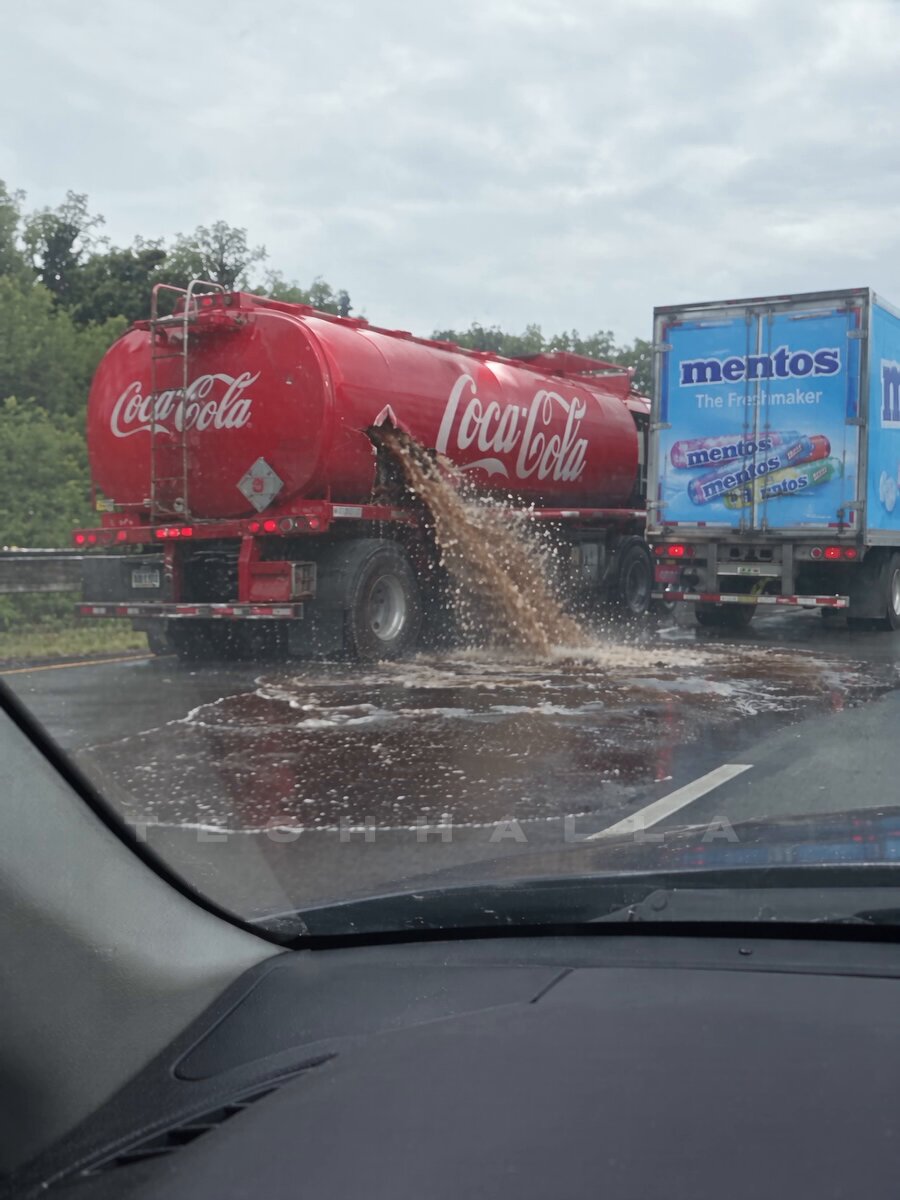
Workflow tips shared by @techhalla for creating realistic AI videos using GPT Image 2.5 and Seedance 2.5. This workflow specifically targets achieving a highly realistic, dashcam-style aesthetic for AI-generated video, breaking down the essential techniques for maintaining consistency and quality throughout the generation process.
Image source: TechHalla
The key to realistic AI video results lies in fixing the initial frame. This workflow proposes generating a stable initial frame with GPT Image 2.5, which then serves as the anchor for animating with Seedance 2.5.
The Key to Realistic AI Video: Fixing the Initial Frame
Relying on vague text prompts for video generation models often leads to visual inconsistencies or temporal distortion. Establishing a fixed 'initial frame' first is crucial for maintaining video quality, as it firmly sets the starting point, composition, and visual style. This practice significantly reduces AI hallucinations and results in more predictable and reliable outputs.
Initial Frame Prompt for GPT Image 2.5
The following prompt structure was used to achieve a realistic dashcam look. By describing the lens characteristics and vehicle interior details, the realism is significantly enhanced.
DIRECTIVE: Produce one still that reads as a real in-car dashcam frame grabbed from a moving car on a highway. Optical dashcam capture, wide windshield view, windshield glass, A-pillar, a slice of dashboard/hood — lived-in dashcam JPEG, not cinema, not HDR.
BEAT / COMPOSITION: Looking forward through the windshield. On the LEFT side of the road (left lane or left shoulder, clearly in frame): TWO branded trucks close together.
COCA-COLA TRUCK (LEFT, CRITICAL): A full-size Coca-Cola tanker / delivery truck, official Coca-Cola red livery and logos readable.
Animating with Seedance 2.5
By inputting the initial frame generated above into the Seedance 2.5 model, you can create a video that maintains the composition, color palette, and visual details of the initial frame while applying realistic motion. Seedance 2.5 interprets the context defined in the prompt—such as "highway driving"—to calculate natural camera trajectories and the movement of surrounding objects, rather than just deforming the elements within the frame.
Strengths of This Workflow
This initial-frame-based approach minimizes trial-and-error, allowing for much more precise control over the video's creative intent. By forcing the AI to strictly adhere to the established visual style from start to finish, this technique becomes an invaluable tool for cinematic storytelling, documentary-style projects, and any application requiring high visual fidelity.