Automating 90-Second Video Recaps with Codex and HyperFrames: Full Workflow Guide
A complete guide to combining Codex with HyperFrames to transcribe, extract key clips, add animated subtitles, and render 90-second MP4 summaries automatically.
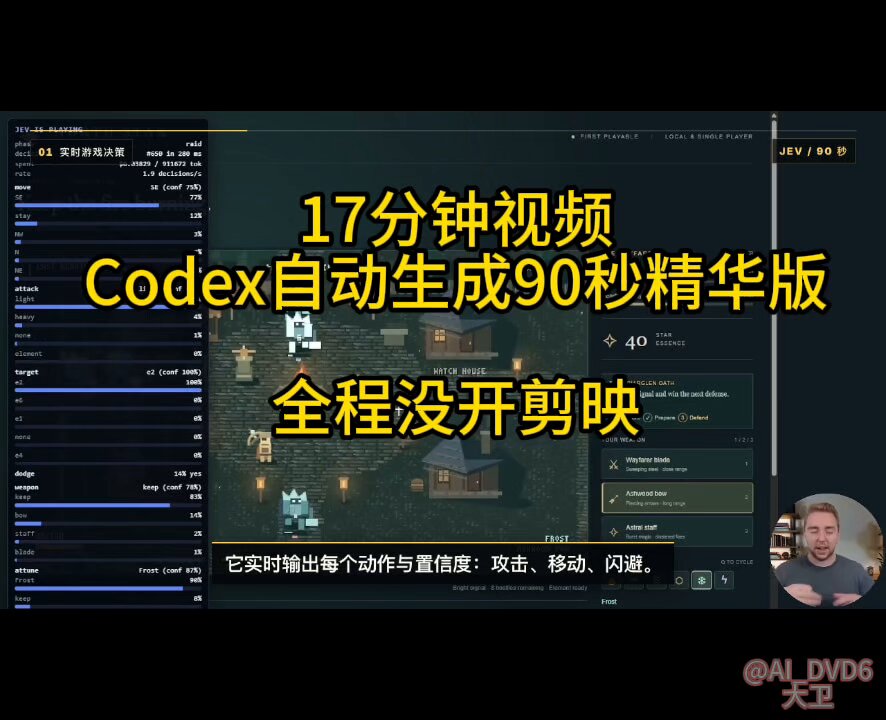
AI engineer and tech creator Dawei (@AI_DVD6) has shared a fully automated video editing workflow combining Codex with the open-source video rendering framework HyperFrames. The setup allows creators to ingest multi-minute video tutorials, automatically extract high-impact segments, overlay animated titles and informational callout cards, and render a polished 90-second MP4 summary without opening traditional editing software.
Image source: @AI_DVD6 / X
Repurposing long-form technical tutorials, keynote presentations, and product walk-throughs from platforms such as YouTube, X, and TikTok into concise social shorts has traditionally been one of the most tedious tasks in content production. Creators typically have to watch the entire recording, log timecodes, slice clips inside non-linear editors like JianYing or Premiere, align subtitle layers, and sync visual elements. Dawei noted that this terminal pipeline completely bypasses traditional NLEs—saving the 500 RMB annual fee of tools like JianYing (CapCut China)—by transforming hours of manual timeline work into a single terminal run guided by an explicit execution prompt.
Autonomous Video Editing Architecture: Combining Codex with HyperFrames
HyperFrames takes a radically different approach from conventional desktop video editing applications. Instead of relying on a graphical user interface where editors manually position media on audio and video tracks, HyperFrames treats video production as programmatic web development. Compositions are authored using HTML, CSS, motion primitives, and standard media assets, which are then rendered frame-by-frame into high-definition MP4 files via headless browser automation and FFmpeg.
When paired with Codex's autonomous agent capabilities, the pipeline moves far beyond static template generation into active video understanding and structural adaptation. Running in the local terminal, Codex extracts the raw audio track, transcribes spoken dialogue, and analyzes the overarching narrative to identify high-density demonstrations and core arguments. It calculates required timeline offsets, cuts the source clips, rewrites a cohesive 90-second narrative, and compiles the project into HyperFrames composition code before rendering the final MP4 file.
In a benchmark demonstration conducted on a 17-minute English tutorial, Codex autonomously handled all transcription, clipping, motion design, and video rendering without any human intervention beyond pressing Enter. When queried about whether narration and visual cuts stay synchronized despite irregular speech rates or background noise, @AI_DVD6 confirmed that the workflow automatically aligns all timing points without manual adjustment. Regarding computational resource usage, Dawei reported that executing the run under "5.6 sol" at medium intensity (5.6 sol 中强度) consumed only approximately 3% of the session quota, demonstrating accessible operational cost.
Environment Prerequisites and Setup (4 Steps)
First, verify that your workstation has the prerequisite runtimes installed:
- Node.js 22 or higher: Required for running the HyperFrames CLI and orchestrating build pipelines.
- FFmpeg: Handles media stream demuxing, video slicing, audio extraction, and final MP4 encoding.
- Codex CLI: Terminal-based autonomous agent execution environment.
If you are unsure whether these dependencies are installed locally, execute HyperFrames' built-in diagnostics command (npx hyperframes doctor) to inspect your toolchain.
Second, create and enter an isolated working directory.
Third, update the dedicated HyperFrames skills for Codex and place your source video into the folder. Installing the skill package enables Codex to recognize HyperFrames CLI flags, composition primitives, and project scaffolding automatically.
Fourth, launch your Codex terminal session inside the directory and pass the structured prompt. Rather than manually transcribing speech or drafting storyboards, the agent orchestrates all tool calls autonomously.
# Verify environment dependencies
npx hyperframes doctor

# Create and enter an isolated project directory
mkdir hyperframes-test
cd hyperframes-test

# Install and update HyperFrames skills for Codex
npx hyperframes skills update

# Place your raw video into hyperframes-test, then launch Codex
codex
Production-Ready Prompt Architecture for Fully Automated Recaps
Once Codex is active in the project directory with your source video ([video_filename.mp4]), paste the complete prompt below into the session. You only need to update the filename and target duration (approximately 90 seconds) to begin generation.
The prompt yields high reliability because it defines two comprehensive operational standards for the agent rather than treating it as a simple text summarizer:
First, 'Execution Requirements' directs the agent through video metadata verification, full audio transcription, removal of pleasantries and low-density filler, preservation of authentic live demos, and dynamic callout creation. The prompt strictly instructs the agent that all numbers, benchmarks, pricing, and feature claims must originate from the raw footage to prevent hallucinations. It also mandates an automated preview check to detect and self-heal overlapping subtitles, black frames, improper crops, or dead air before final export.
Second, 'Final Video Standards' enforces a compelling visual hook within the opening 3–5 seconds, mandates high information density for viewers who have never seen the source material, ensures authentic UI interactions dominate over static text slides, and requires formatting suitable for direct social media distribution.
There is an original video [video_filename.mp4] in the current project directory.

Please use the installed HyperFrames toolchain in this project to transform this video into a polished highlight video of approximately [90 seconds].

Complete the entire pipeline autonomously. Do not pause to ask me clarifying questions unless you encounter a critical blocker that strictly requires human authorization.

1. Execution Requirements:
▸ Fully read and inspect the source video to verify duration, resolution, audio integrity, and frame playback.
▸ Extract and transcribe all audio from the original video, fully understanding the raw content before deciding what to retain.
▸ Identify the strongest hook, core thesis, standout demos, critical metrics, and the most valuable insights for general viewers.
▸ Prune conversational filler, repetitive explanations, and low-density segments.
▸ Redesign a coherent, fast-paced narrative flow of roughly 90 seconds rather than mechanically chopping fragments.
▸ Prioritize authentic product demonstrations, actual workflow steps, before-and-after comparisons, and verified results from the raw footage.
▸ Utilize HyperFrames to add professional titles, dynamic subtitles, informational callout cards, numerical callouts, zoom highlights, transitions, and necessary motion graphics.
▸ Maintain a clean, modern, and high-information-density visual presentation.
▸ Subtitles must read naturally and concisely without mechanical word-for-word translation artifacts.
▸ All statistics, performance figures, prices, and feature claims must strictly originate from the source video; do not invent facts.
▸ Execute a preview inspection upon completion to detect and autonomously repair subtitle overlap, black frames, improper cropping, or awkward pacing pauses.
▸ Render the final composition directly to an MP4 file saved in the current project directory.

2. Final Video Standards:
▸ Deliver a compelling visual hook within the opening 3–5 seconds.
▸ Ensure the recap is entirely self-explanatory for viewers who have never seen the original footage.
▸ Focus visuals on authentic live operations and demos rather than lengthy static text slides.
▸ Keep the editing pace brisk and optimized for social media distribution.

Begin execution now.