Create Hand-Inked Cartoon Cel Animations with Claude Opus 5.5: A Prompt Guide
A detailed prompt and guide by Trey (@treyscalez) for producing vintage hand-inked cartoon short-form videos utilizing code-based SVG and Python rendering.
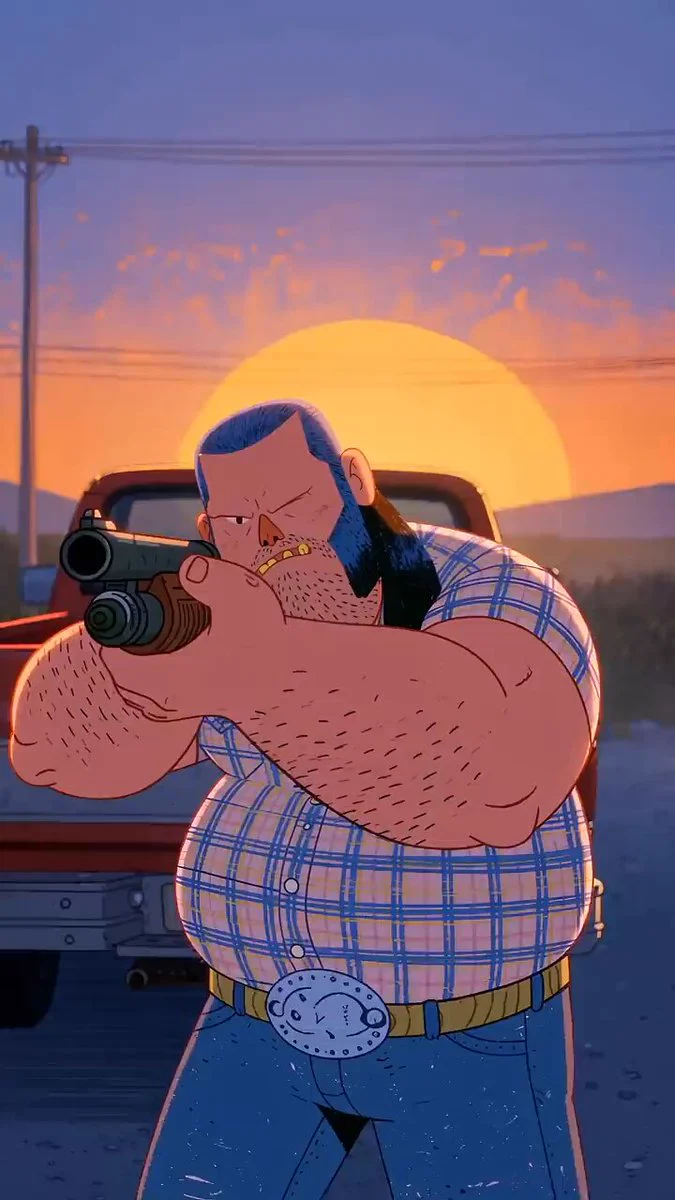
AI creator Trey (@treyscalez) has shared a detailed prompt that leverages Anthropic's conversational model, Claude Opus 5.5, to produce unique, vintage hand-inked cartoon cel-style short-form videos entirely through code, bypassing the need for heavy, resource-intensive video generation models.
Image source: https://x.com/treyscalez/status/2126041304421323256
The newly released prompt completely avoids heavy AI image or video generators and stock art, instead instructing code to draw frames procedurally. Designed specifically to run efficiently on low-end PCs and modest models, it aims to make AI-powered video creation accessible to everyone.
Understanding the Code-Based Animation Pipeline
Typical AI video generation relies on large-scale video diffusion models that demand high-end GPUs and massive computing resources. In contrast, this workflow uses Python code to write Scalable Vector Graphics (SVG) documents directly. A rasterization tool (rsvg-convert) converts them, Pillow and NumPy composite the frames, and ffmpeg encodes the final output into a 1080x1920 vertical short-form video at 30 frames per second.
This approach bypasses the typical distortions and loss of character consistency common in standard video models, ensuring precise aesthetic control since the code handles every stroke.
Visual Style and Direction Guidelines Defined by the Prompt
The prompt enforces strict design constraints to capture the nostalgic warmth of classic hand-inked cartoon cells:
- Lines: Modeled after thin dip-pen ink (about 3 to 5 pixels wide at 1080 resolution), strokes swell with pressure and taper to points. Ink is warm sepia-black (#170b08) rather than pure digital black, with the finest strokes rendered in dark red (#4d140a) with slight transparency.
- Color: Flat fills with no gradients on characters. Palette is strictly locked to 4 or 5 colors per video (such as cobalt blue, a warm skin tone, and cream or pale accents).
- Cast: Designed as caricatures focusing on distinct silhouettes and memorable features (large jaws, long noses, mustaches) rather than strict human anatomy. Real living people are never drawn.
- Textures and Lighting: Textures utilize short ticks and dots instead of long hatching. Lighting is kept to two flat tones split by hard diagonal edges.
How to Use the Prompt and Interactive Workflow
When you feed this prompt into Claude Opus 5.5, the AI initiates an interactive setup by asking for:
- The Story: A true event, legend, "what if" scenario, or simple topic for which the AI pitches 5 story concepts.
- The Length: Defaulting to 60 to 90 seconds, or a 10-second test scene.
- The Voice: Options to upload your own voiceover, have the AI write a script for you to record, or use captions only.
- Sound Effects and References: Optional sound effect packs and reference frames to fine-tune the output.
After gathering these parameters, the AI determines the cast, era, sets, and palette automatically, laying the groundwork for code generation.
Original source
- Trey (@treyscalez) X Original Post: X Post Link