chesshacker: Open-Source Meta Ray-Ban 3 Chess Workflow Shared by @0xMovez
According to @0xMovez, the open-source chesshacker workflow connects Meta Ray-Ban 3 glasses to Opus 5.5 and Stockfish through a WhatsApp video call, with macOS
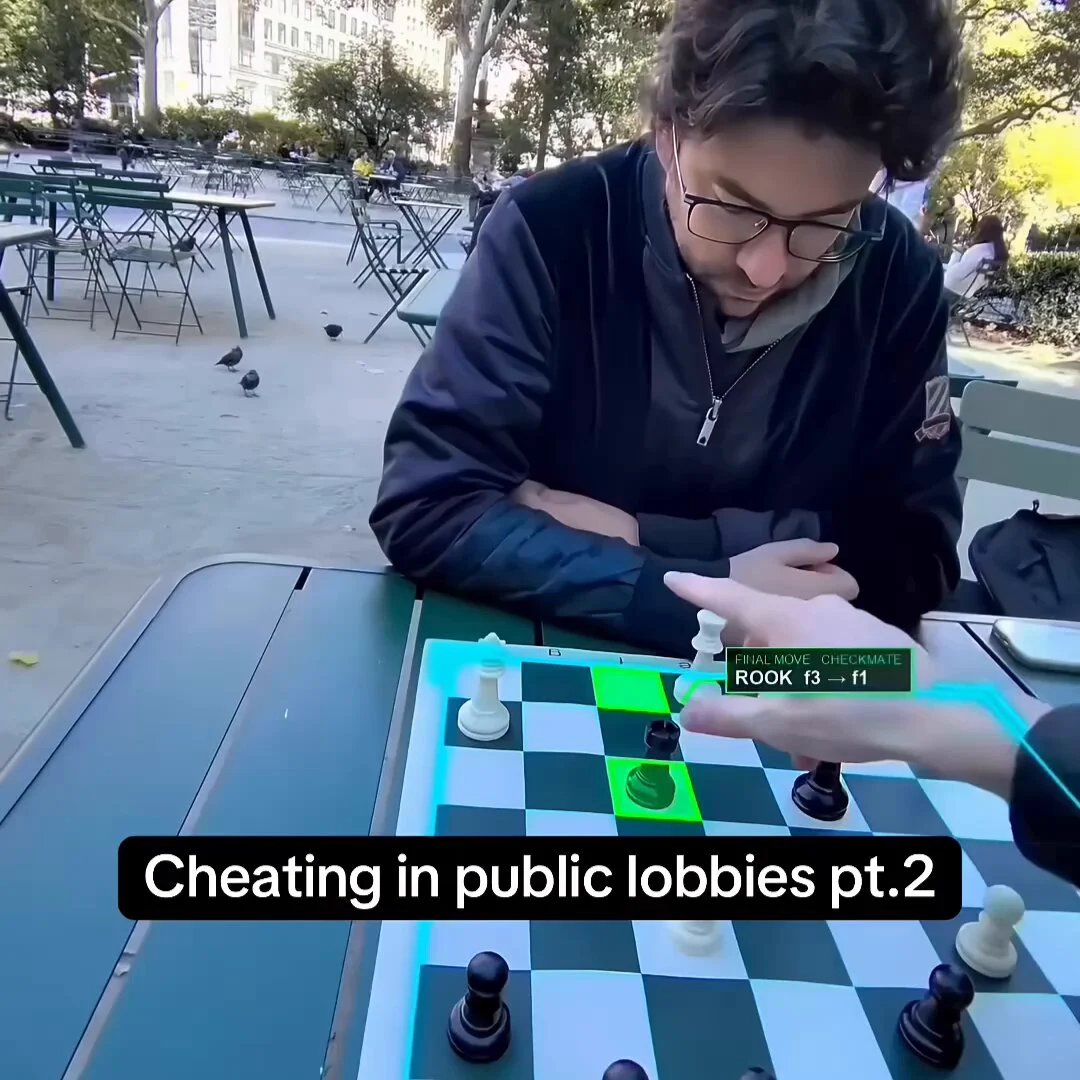
In an X post, @0xMovez described chesshacker as an open-source AI chess workflow connecting Meta Ray-Ban 3 smart glasses to a Mac through a WhatsApp video call. According to the post, Opus 5.5 reads board positions, Stockfish suggests moves, and macOS sends spoken guidance back through the call.
Image source: @0xMovez on X
Image Credit: @0xMovez on X
The post describes audio guidance through the call, plus a Mac-side command center and an OBS-ready video overlay.
Installation and Workflow Architecture
According to the post, the workflow sends the glasses' camera view to a Mac through a WhatsApp video call and captures frames from the call window.
- Setup Command: Running
npx chesshacker setupin the Mac terminal downloads Stockfish directly from GitHub and verifies its checksum. - WhatsApp Video Call Bridge: The user puts on Meta Ray-Ban glasses and starts a WhatsApp video call to their own Mac. The glasses capture the physical board while the Mac processes the incoming video feed.
- Frame Capture Rate: The app captures frames from the call window at approximately 1 frame per second during the opponent's turn and 1 frame every 3 seconds during the user's turn.
- Jev Frame Pre-Check: A lightweight pre-check evaluates whether the board is readable, whether a hand is blocking it, or if a piece has moved; static frames bypass expensive LLM calls entirely.
Opus 5.5 Recognition and Stockfish Evaluation
According to the post, Opus 5.5 reads frames that pass the pre-check, compares each position with the known board state, and accepts a move only when it is legal.
- Engine Calculation: Valid positions are evaluated by Stockfish for half a second, producing evaluations such as
+1.5ormate in 3. - Audio and Visual Feedback: macOS streams the suggested move via a virtual microphone into the WhatsApp call audio as spoken text (e.g., "Rook a to d1"). A command center on the Mac displays live turn status, a confidence bar, the move list, and a log, with an OBS overlay option to render move arrows on live video.
Caveats
Replies to the post included criticism of the workflow as cheating and skepticism about whether the demonstration was genuine.
Sources
- @0xMovez on X: chesshacker Workflow Post