video-use: Open-Source Automated Video Editing for Claude Code
Discover video-use, an open-source tool automating cuts, pause removal, subtitle burning, color grading, and motion overlays via Claude Code without a timeline
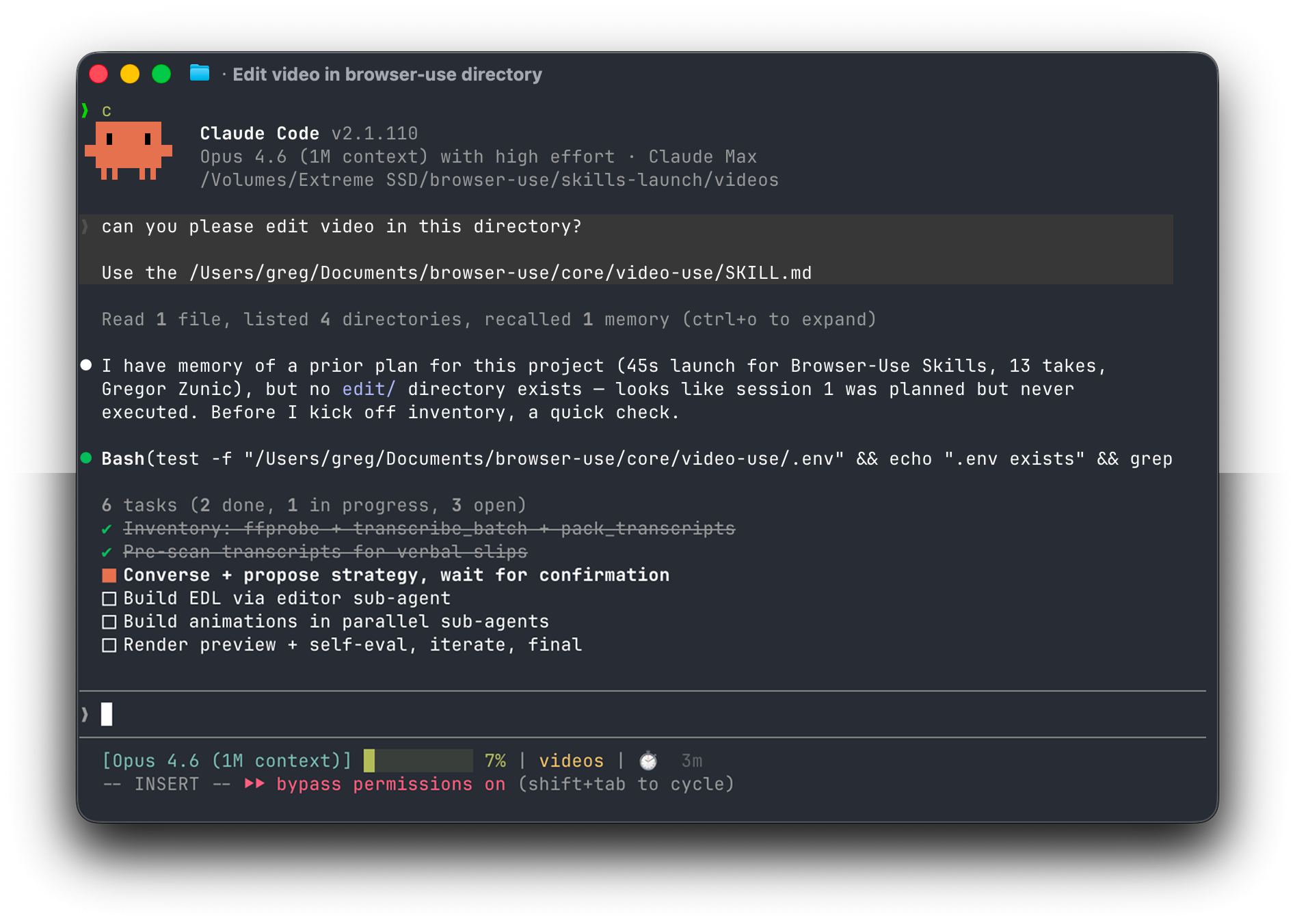
Image source: https://github.com/browser-use/video-use
In October 2026, 'video-use', a 100% open-source automated video editing tool designed for Claude Code, was introduced to streamline video production workflows. By dropping raw footage into a workspace folder and interacting via natural language in the terminal, users can generate a finished final.mp4 video without touching a manual timeline GUI.
Traditional video editing workflows in NLE suites like Premiere Pro or DaVinci Resolve require manual scrubbing through dozens of takes, trimming dead space, and aligning audio tracks. video-use shifts this workflow into an agentic CLI environment, letting an AI coding assistant manage the entire post-production pipeline from raw ingestion to final export.
Agentic Video Editing Without Timelines: How video-use Works
Rather than relying on a visual timeline or complex preset menus, video-use uses an agent-driven conversation model. Users place raw clips into a folder and describe their desired edits in plain text, prompting Claude Code to analyze the content and execute editing operations autonomously.
- Broad Content Support: Handles diverse video formats including talking heads, interviews, coding tutorials, travel vlogs, and montages.
- Unattended Background Execution: Kicking off the editing pipeline with a conversational brief allows the system to complete cuts, overlays, and renders in the background.
- Fully Open-Source Architecture: Free from proprietary subscription platforms, allowing developers to customize FFmpeg filters and agent skills directly.
From Filler Word Pruning to Sub-Agent Motion Graphics: The Full Pipeline
video-use integrates several practical post-production capabilities into a cohesive automated pipeline:
- Intelligent Cutting and Audio Fades: Automatically identifies and cuts out filler words (
umm,uh), false starts, and silent pauses between takes. It applies a 30ms audio fade at every cut boundary to prevent audio pops and clicking artifacts. - Segment-Level Auto Color Grading: Applies preset color profiles such as warm cinematic or neutral punch, or custom FFmpeg filter chains, to ensure consistent visual grading across clips.
- Custom Subtitle Burning: Generates and hard-subs readable subtitles—defaulting to 2-word uppercase chunks—with customizable formatting and positioning options.
- Parallel Sub-Agent Motion Graphics: Spawns parallel sub-agents using Manim, Remotion, or PIL to generate animated visual overlays and diagrams, compositing them directly onto the main video timeline.
Operational Requirements and Practical Considerations
Before integrating video-use into production workflows, several technical factors should be considered:
- CLI and Dependency Setup: As a terminal-first agent tool, it requires an active Claude Code environment alongside local FFmpeg binaries and rendering utilities.
- Resource and Token Consumption: Rendering complex motion graphics and analyzing multi-take video footage utilizes local CPU/GPU compute and consumes LLM API tokens, requiring appropriate resource planning for long-form projects.
Sources
- X (@RoundtableSpace): October 3, 2026 video-use Announcement and Workflow
- GitHub Repository: browser-use/video-use