Building a Game with UE 5.8 MCP Without Touching Blueprints: A One-Feature-at-a-Time Workflow
A step-by-step workflow and prompt rules for building a playable game with Claude Code and UE 5.8's official MCP, without hand-assembling Blueprints.
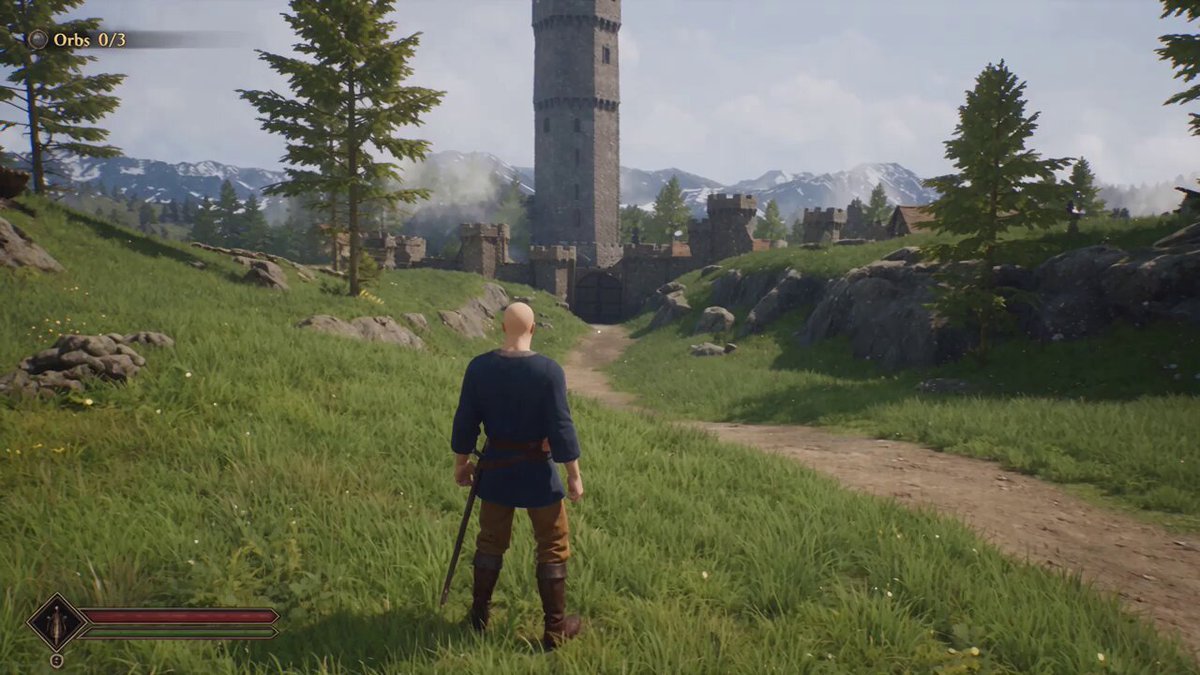
The original author is Claude Code Studio (@ClaudeCode_love on X), who in an October 7, 2026 post described how an overseas developer built a playable game without hand-assembling a single Blueprint.
Image source: @ClaudeCode_love / X
The core claim is simple: this is not a tool that just writes code and hands it over, but a workflow where the agent works inside the running Unreal Editor, assembling terrain and game rules directly. Reproducing it requires only Epic's free official plugin plus an MCP connection. However, Unreal MCP in UE 5.8 is an experimental feature, so before applying it to an existing project you must re-check your build, plugin list, and the actually exposed tool schema.
Setup: enabling MCP and AllToolsets in UE 5.8
The procedure follows the original author's order: set up the environment first, then request exactly one thing at a time.
- Enable the MCP plugin in Unreal Engine 5.8 (Unreal MCP, identifier
ModelContextProtocol) and restart the editor. - On the Toolset side, which provides the actual tools, enable
AllToolsetsto bulk-activate the commonly used toolsets. - Install Epic's official Claude Code plugin (not an editor plugin but a skill/procedure bundle on the agent side, distributed via the
claude-plugins-officialmarketplace). - Check Editor Preferences > General > Model Context Protocol for Auto Start Server, port, and path settings. The default endpoint is
http://127.0.0.1:8000/mcpover streamable HTTP.
Requests start with a placeholder terrain containing only a village with roads and walls plus a tower, then proceed one at a time through orbs and gate, enemy, and visuals.
Request order and the four conditions in every prompt
The request order given by the original author is:
- Build placeholder terrain with only a village (roads and walls) and a tower.
- Add 3 orbs and a locked gate.
- Add 1 enemy.
- Polish the visuals last.
And every prompt must include these four items:
- Completion conditions (what counts as done)
- Areas that must not change
- List of areas touched
- Stop without silent workarounds when stuck
The author summarizes it as: the method of "stating the end condition first and requesting one thing at a time" becomes the game itself. The point is that never bundling multiple features into one request is what keeps results stable.
Caution: experimental, and a local server with no auth
Check these limits before following the workflow verbatim.
- Unreal MCP is experimental as of UE 5.8, and the official docs state that APIs and data formats may change.
- The MCP HTTP server has no authentication, and tool calls execute serially on the game thread. Connecting it to an existing project without verification risks unintended asset edits or wrong save locations.
- The actual working tool set depends on which plugins are enabled; one measured environment showed over 50 toolsets. So check the plugin list and the actual tool schema before starting work.
The author's claim is that everything is reproducible with only the free official plugin, but it is safer to treat it as "a bundled experimental plugin" rather than "a finished standard feature."
Original source
- @ClaudeCode_love (Claude Code Studio): Claude Code x Unreal Engine workflow post (2026-10-07)
- Quoted gameplay video: original video post by @rewind02