PolloAI Recast Motion Transfer: A One-Liner Prompt Tip for Music Video Character Replacement
Learn how creator @EEJ_OOXO used PolloAI's Recast motion transfer feature and a concise single-line prompt to preserve complex music video dance choreography wh
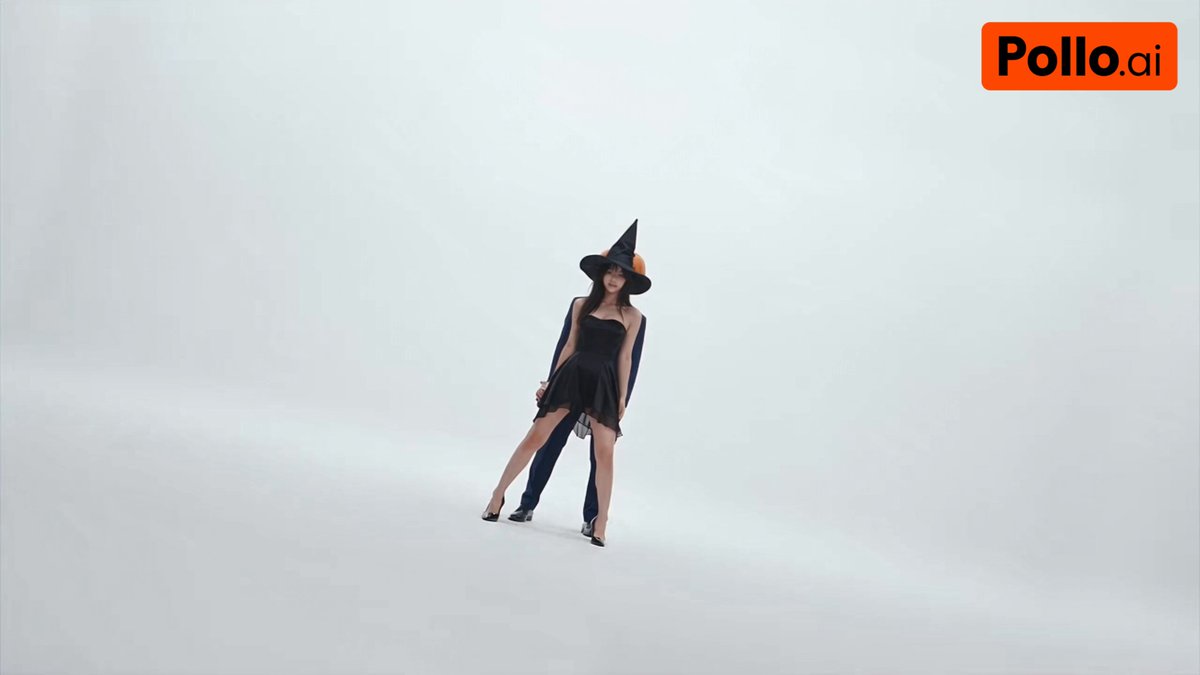
In the rapidly evolving landscape of generative AI video tools, motion transfer technology—replacing the visual appearance of a subject while faithfully preserving the original camera motion, dynamics, and choreographic timing—has become a powerful asset for digital video creators. On October 15, 2026, creator OOXO (@EEJ_OOXO) shared a practical, real-world experiment on X demonstrating how to transfer characters into a fast-paced dance routine from A2O LITE's music video using the Recast feature on the PolloAI platform (@polloai_kr), driven by a single-line English prompt.
Image source: @EEJ_OOXO on X
Traditional video-to-video (V2V) transformation workflows frequently encounter limb distortion, flickering artifacts, and identity loss when confronted with complex dance routines and rapid camera movements. By leveraging PolloAI's dedicated Recast motion transfer capability alongside a two-image character reference setup, creators can achieve remarkably stable character continuity without relying on verbose prompt gymnastics.
Input Asset Setup and Recast Architecture
The foundation of this motion transfer setup lies in separating the motion reference data from the visual character identity assets.
- Motion Reference Footage: The creator used the intro sequence from A2O LITE's "NEON" music video. Featuring synchronized, high-tempo choreography and rapid physical motion across the frame, this clip serves as a rigorous benchmark for motion tracking and pose fidelity.
- Character Reference Images: Rather than feeding a single reference image, two character images were supplied. Utilizing two images provides complementary visual data regarding lighting, facial angles, and proportions, mitigating the single-angle perspective bias and artifacting common to one-image character swaps.
PolloAI's Recast feature transfers the character appearance from the reference images into the video sequence while preserving the choreographic motion and timing of the source footage.
The One-Liner Prompt and 4-Step Practical Workflow
Rather than stacking extensive quality modifiers or style tokens, the creator deployed a single, unambiguous directive that clearly instructs the model on how to interpret the uploaded images:
Use the character from Image 1 and Image 2
This minimalistic prompt explicitly commands the system to synthesize character traits from both input image slots without contaminating the underlying choreographic structure with extraneous background or camera movement descriptors.
The end-to-end production workflow breaks down into four straightforward steps:
- Select Feature: Access the PolloAI web interface and switch to the Recast (motion transfer) workspace.
- Upload Source Assets: Upload the primary motion reference video into the footage slot, then upload the two target character reference images into their respective input slots.
- Set the Directive: In the prompt input field, enter the single-line instruction:
"Use the character from Image 1 and Image 2". - Render and Inspect: Generate the output video, verifying that the intricate dance choreography, joint positions, and timing from the source footage remain intact while the visual aesthetic of the character references is seamlessly integrated.
Practical Considerations and Production Tips
When incorporating PolloAI Recast into short-form video or commercial production workflows, keep the following considerations in mind:
- Consistency Across Reference Images: Discrepancies between Image 1 and Image 2 in style, resolution, or lighting contrast can introduce blending artifacts. Using consistent character assets—such as a frontal portrait paired with a three-quarter angle in matching lighting—yields significantly cleaner output.
- Source Footage Clarity and Motion Blur: Excessive motion blur resulting from low shutter speeds in the original footage can degrade pose tracking precision. High-frame-rate or crisp footage with sharp silhouettes produces the highest-fidelity motion transfer.
- Maintain Prompt Discipline: In motion transfer workflows, descriptive text should focus strictly on character identification and assignment. Adding camera movement instructions or scene descriptions risks conflicting with the hard motion data embedded in the source video.
Original source
- OOXO (@EEJ_OOXO) Post on X: PolloAI Recast Motion Transfer One-Liner Tip
- Source Footage and Music Reference (A2O LITE "NEON"): Reference Video Link