Coolify: Open-Source Self-Hosted PaaS for Deploying 360+ Services
Coolify is an open-source, self-hosted PaaS alternative to Vercel and Heroku that lets you deploy web apps, databases, and over 360 one-click services on your o
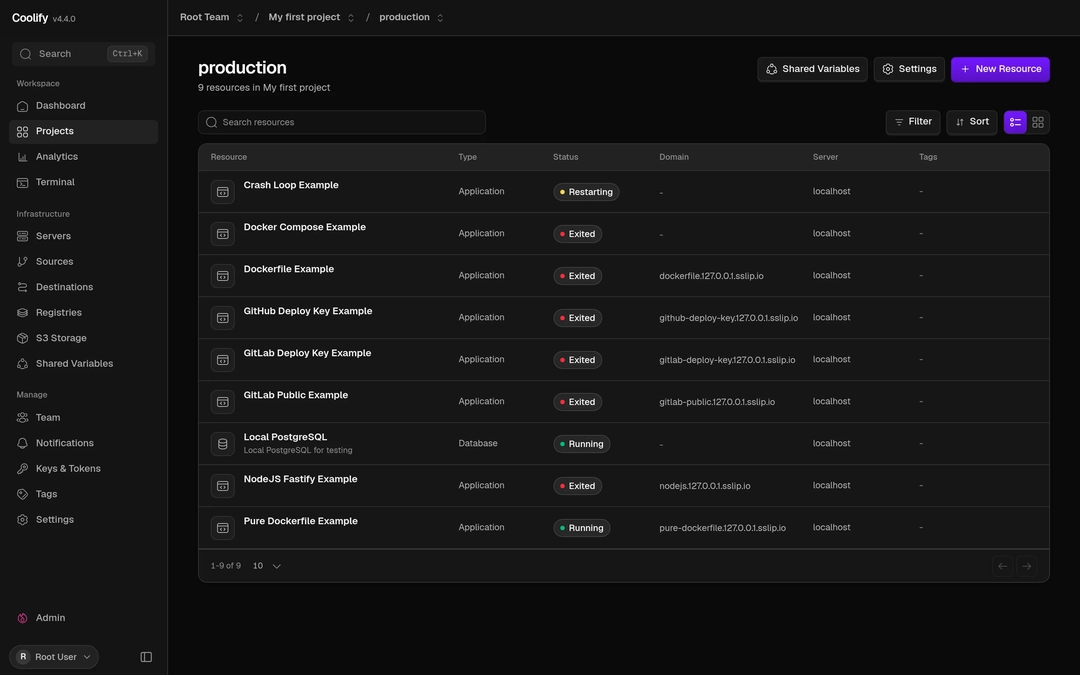
Image source: Coolify official homepage (https://coolify.io)
Coolify is an open-source, self-hosted Platform-as-a-Service (PaaS) solution that allows you to build cloud deployment environments directly on your own hardware. Designed as an alternative to proprietary cloud platforms like Vercel and Heroku, it enables developers to deploy and manage web applications, databases, and services on any VPS, bare-metal server, or Raspberry Pi using simple SSH connections.
Core Features and Architecture
Coolify integrates seamlessly with popular source code repositories including GitHub, GitLab, Bitbucket, and Gitea, automating builds and deployments on every Git push. It supports Nixpacks, Railpack, standard Dockerfiles, and Docker Compose, giving teams the flexibility to run web apps, static sites, and database clusters without being locked into a specific ecosystem.
The platform automatically provisions Let's Encrypt SSL certificates and handles reverse proxy routing for all deployed services, eliminating manual infrastructure overhead. It also supports multi-server architectures, allowing you to separate the Coolify control plane from the worker servers executing your applications for enhanced reliability.
Installation and Management Interfaces
Installation on a clean Linux server requires only a single shell command (curl -fsSL https://cdn.coollabs.io/coolify/install.sh | bash). Beyond the intuitive web dashboard, Coolify provides a REST API, a command-line interface, and Model Context Protocol (MCP) support, enabling programmatic infrastructure control and integration with AI assistants and custom automation tools.
Distributed under the Apache 2.0 license as a free self-hosted solution, Coolify also offers a managed Coolify Cloud option for teams looking to offload infrastructure maintenance. For self-hosted deployments, administrators remain responsible for underlying OS security updates, firewall configurations, and backup storage strategies.