7 Practical Tips to Save Claude Code Tokens: Field Insights from Anthropic Engineers
A battle-tested guide to optimizing token usage in Claude Code, based on internal experiments by Anthropic engineers. Covers prompt cache preservation, /clear a
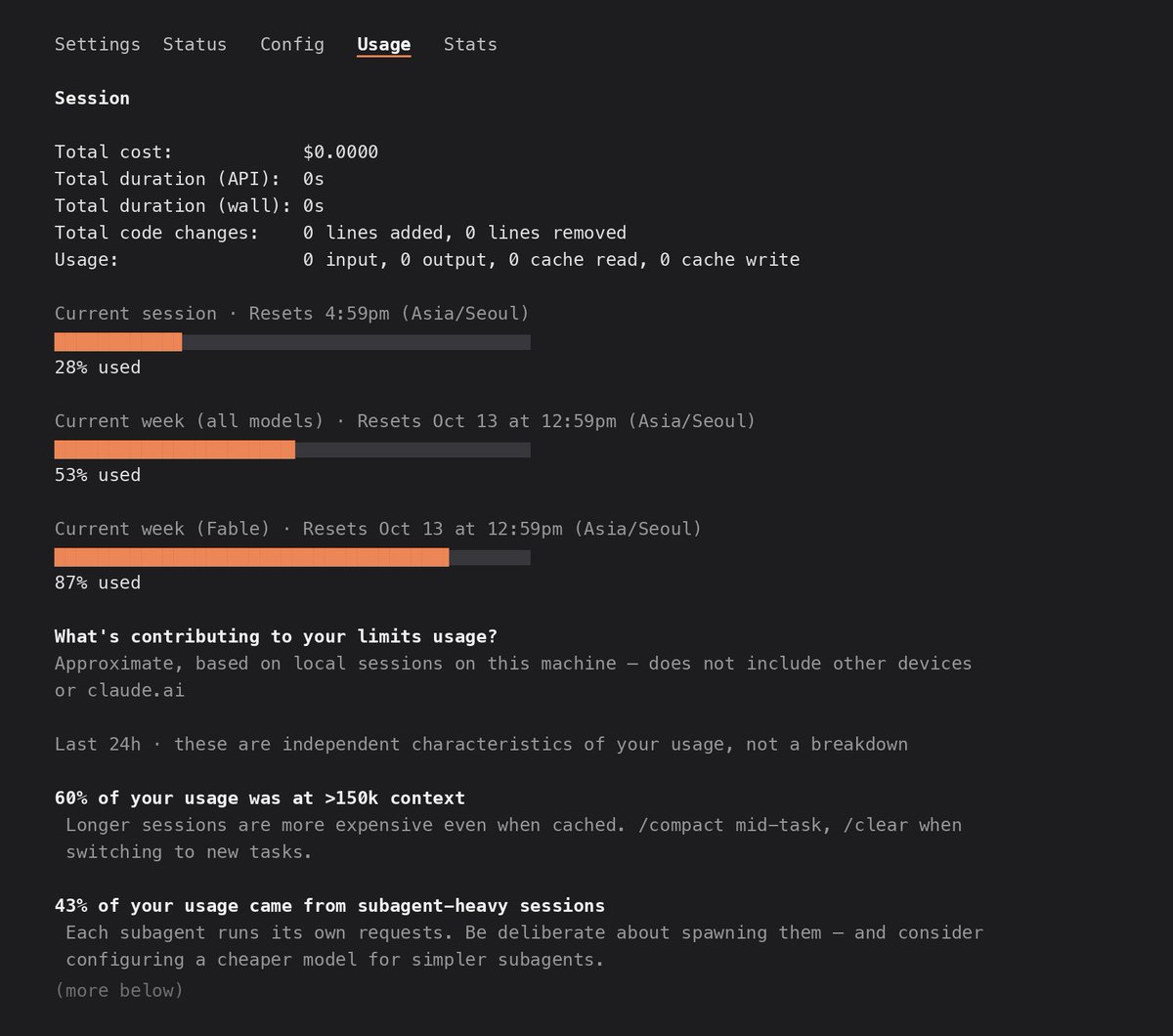
As terminal-based coding agents like Claude Code gain traction in everyday engineering workflows, managing token consumption and API operational costs has become a critical skill. On October 16, 2026, IT tech curation publication 요즘IT (@yozm_it) published a comprehensive guide outlining 7 practical token-saving techniques tested and verified by the Anthropic engineers who develop and operate Claude Code.
Image source: 요즘IT (@yozm_it)
Unlike conventional chatbots, Claude Code is an agentic tool that autonomously inspects file systems, edits source code, and runs build or test commands directly inside local developer environments. Because the agent re-reads the cumulative project context and session history with every turn, failing to grasp prompt caching dynamics and session lifecycle rules can quickly lead to compounding token bills. Below are the 7 core techniques distilled directly from Anthropic's internal engineering experiments.
Conversation Context Management and Prompt Cache Preservation
Session costs are largely dictated by two underlying mechanics: full conversation retransmission on every turn and the operational lifespan of the prompt cache.
1. Avoid Repeated Work on the Same Problem
Claude re-reads the entire conversation history from beginning to end on every new prompt. Even a brief follow-up such as "try again" or "fix that error" forces the model to re-process every previously inspected file, build log, and test output. When shifting focus to an unrelated task or starting a fresh problem, clear the conversation buffer by running the /clear command to start a clean session.
2. Lock Settings Before Starting to Prevent Cache Invalidation
Claude Code uses prompt caching to store repeated context and reduce per-turn token costs. However, switching models or attaching new Model Context Protocol (MCP) servers mid-session completely invalidates the existing cache, forcing the engine to write and bill the entire context again from scratch.
- Lock early: Configure MCP tools and Fast Mode settings upfront before initiating your session.
- Trim
CLAUDE.md: Because the repository rootCLAUDE.mdfile is bundled into every prompt turn, keep it tightly scoped to essential guidelines under 200 lines.
Autonomous Verification Loops and Reasoning Effort Calibration
Providing the agent with automated feedback mechanisms and matching reasoning intensity to task complexity keeps expensive trial-and-error cycles in check.
3. Equip Claude with Self-Verification Mechanisms
Rather than issuing blind code-edit instructions, provide the agent with automated verification commands—such as test suites or build scripts—so it can inspect its own diffs. When the model detects and resolves compilation or test failures autonomously, it eliminates costly user-prompted revision turns. For large multi-file refactors, use Plan Mode first to establish consensus on target files and design decisions before generating code.
4. Calibrate Reasoning Effort to Task Complexity
Increasing reasoning effort (extended thinking) reduces logical errors on difficult problems, but also significantly increases token usage on every response. Calibrate the effort level to the task at hand:
- Low: Straightforward fixes, typo corrections, variable renaming, and formatting adjustments.
- Medium: Standard feature development, module extensions, and typical unit test drafting.
- High: Intricate concurrency bugs, architectural refactoring, and elusive system failures.
If the agent gets stuck due to missing files or insufficient local permissions, supply the necessary context and credentials rather than simply increasing the reasoning effort.
Model Routing, Compaction Timing, and Usage Auditing
Splitting workloads across model tiers and regularly auditing token logs prevent runaway costs during extended sessions.
5. Match Models to Tasks and Isolate Subagents
If a problem remains unresolved after two consecutive attempts at high reasoning effort, switch immediately to a more capable model rather than burning tokens on repeated failures.
Conversely, routine operations like file tree exploration, regex searching, or scanning verbose build logs should be delegated to smaller, lightweight models. Subagents created for background or parallel tasks inherit the primary session's flagship model by default unless configured otherwise; always explicitly assign lightweight models to helper subagents.
6. Run /compact Before Taking Breaks
Under standard subscription tiers, Claude Code's prompt cache expires after one hour of idle time. If you step away and run /compact only after returning, the agent must re-read the entire expired conversation at full token cost just to summarize it. Run /compact before stepping away from your desk, and include key context you need preserved in the compaction prompt.
7. Audit Consumption Post-Session with /usage
After wrapping up a task, execute the /usage command to review token consumption and cache hit rates:
- Abnormally low cache read ratio: Indicates frequent mid-session setting changes or idle periods exceeding the 1-hour cache expiration window.
- Excessive output tokens: Suggests reasoning effort was set too high or the session suffered from repeated failed attempts.
Regularly auditing your /usage metrics helps refine prompt and session discipline over time, ensuring sustainable long-term agent operations.
Original source
- 요즘IT (@yozm_it): 7 Ways to Save Claude Code Tokens
- 요즘IT Official X (@yozm_it): Claude Code Token-Saving Tips Thread