Show Claude Code a Reference Reel and It Recreates the Split Screen, Captions, and Zooms
X creator @Promptwhat shares a second hands-on short-form editing automation tip: recreate a top-bottom split-screen Reel from a single reference video with Cla
X creator @Promptwhat (Prompt_what) shared a second hands-on tip on October 10, 2026 for editing short-form video with Claude Code after cancelling a CapCut subscription. The recipe recreates the currently ubiquitous top-bottom split-screen Reel layout from a single reference video, and the author says only about two rounds of fixes were needed.
Image source: @Promptwhat on X
The core idea: when you find a good reference, show it to Claude Code and ask for a reusable editing setup. According to the author, dropping in a Reel link or a screen recording with a request like "break down this composition and rebuild it with my footage" is enough for the model to pick up the split timing, caption placement, and zoom moments on its own.
Setup and Division of Labor: Seedance 2.5 for the Talking Clip, Claude Code for the Edit
The division of labor is simple. The talking-head clip is generated in one 30-second pass with Seedance 2.5, and Claude Code handles the split-screen assembly plus caption and zoom direction.
The author also describes the recreated details: captions move with the layout, the frame glides toward a button when it is pressed, and a film-grain texture is layered over the human segments to reduce the AI look. All the user needs to prepare is the talking clip and the narration, and the author adds that anyone can follow the method.
Failing Less: Preview a Few Cuts First, Then Template It
Two practical points stand out. First, do not render the whole video at once — ask for a few cuts first so problems can be fixed early, which saves a lot of wandering. Second, when the edit is done, tell Claude Code to "organize this so I can reuse it next time." From then on, swapping in new footage and lines reproduces the same composition.
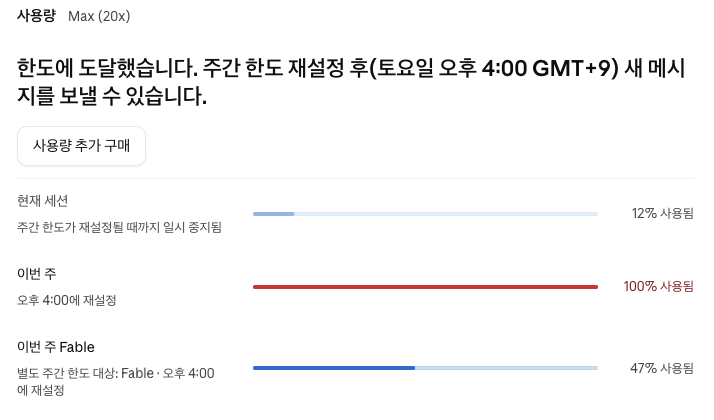
One caveat: the author uses the Claude Max 20x plan and notes that rendering consumes a fair amount of usage. Token consumption may differ by plan, so testing a few cuts on your own plan before committing to a full render is the safer path.
Original source
- @Promptwhat (Prompt_what): Claude video automation part 2 (no more CapCut)
- @Promptwhat: First mention of the series